Adding a WhatsApp Number on Chatflow

taxajca

Member
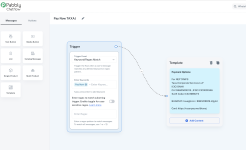
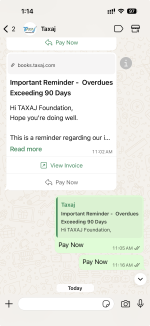
I have created a flow when anyone clicks on "Pay Now" as quick reply button to few templates then automatically bank details template can be sent, which is not working. Attached screenshot

Let me know where am i making mistake
 

Attachments

  • Screenshot 2025-11-21 at 1.08.43 PM.png
    Screenshot 2025-11-21 at 1.08.43 PM.png
    495.4 KB · Views: 18
  • Screenshot 2025-11-21 at 1.14.32 PM.png
    Screenshot 2025-11-21 at 1.14.32 PM.png
    705 KB · Views: 24

Preeti Paryani

Well-known member
Staff member
Hello @taxajca,

I have tested the flow, and it seems to be working fine.

1763718525300.png


Please try testing at your end using a different number and let us know if it works fine for you.
 

taxajca

Member
Yeah if Pay Now is typed separately then it works but when clicked as a Quick Reply Button to sent template then doesn’t works, any workaround?
 

Preeti Paryani

Well-known member
Staff member
Hello @taxajca,

Thank you for clarifying the concern. Please note that the workflow you have designed will only trigger on sending the “Pay Now” text, not when the quick reply button is clicked. If the quick reply button is used, the flow will not be triggered.
 

taxajca

Member
Hello @taxajca,

Thank you for clarifying the concern. Please note that the workflow you have designed will only trigger on sending the “Pay Now” text, not when the quick reply button is clicked. If the quick reply button is used, the flow will not be triggered.
but this is one of the basic requirements in WABA which should be implemented, to trigger flow based on button
 

Preeti Paryani

Well-known member
Staff member
Hello @taxajca,

You can achieve this by creating separate flows for each case. If you want the automation to run when a user clicks the quick reply button or manually types the same text, you will need to set up two independent flows using the two trigger types shown in your screenshots:

  1. Template Selected – triggers when the user clicks the quick reply button.
  2. Keyword/Regex Match – triggers when the user manually types the button text.
This way, both scenarios will be covered and your automation will work consistently.

1765273831149.png
1765273873078.png
 
Top