Auto send on Schedule (Beta) not working
Status: Answered · Asked by Zeshan Ahmed on · 0 views
Hello Zeshan,
Thank you for reaching out!
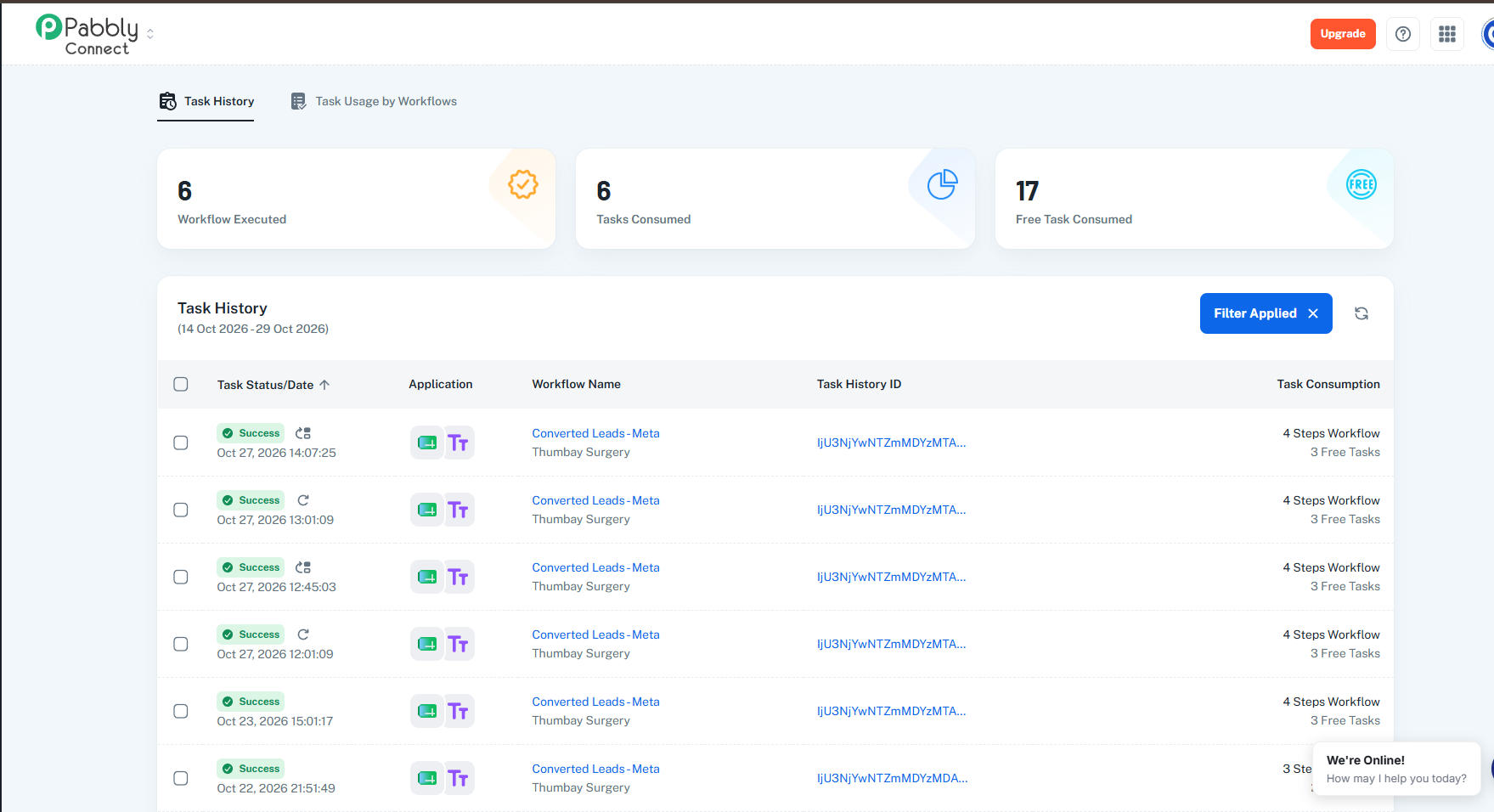
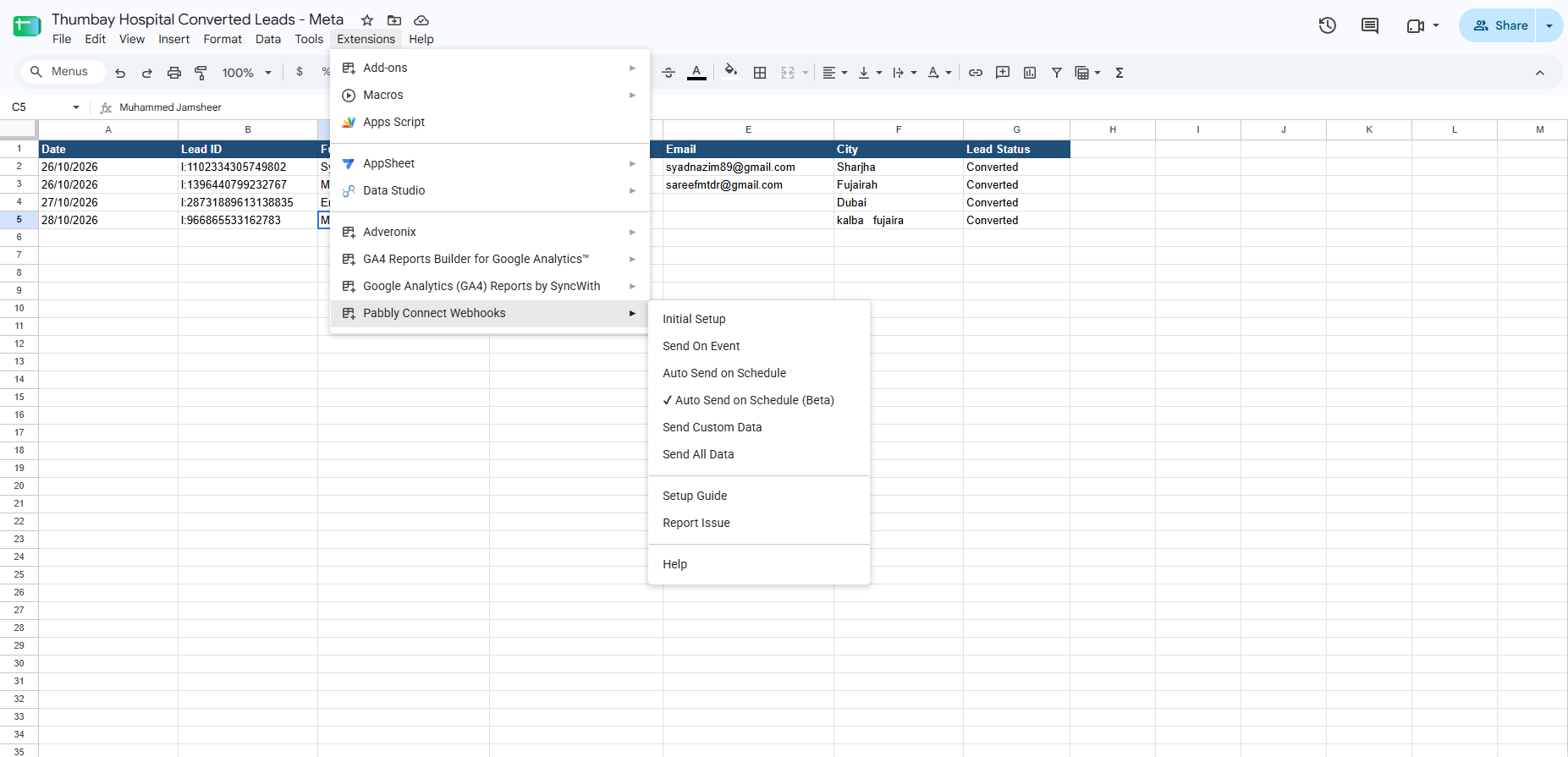
We understand that you’re experiencing an issue with the “Auto send on Schedule (Beta)” feature in Google Sheets, and we’ll be happy to help investigate it.
However, after checking our records using your email address, [email hidden], we were unable to locate a corresponding Pabbly Connect account, workflow, or the details needed to investigate the issue shown in your screenshot.
To help us identify the issue and assist you effectively, could you please share the following details?
Registered Email Address: Please confirm the email address associated with your Pabbly Connect account.
Google Sheet Access: Share the link to the affected Google Sheet and grant Editor access to both support@pabbly.com and shekh.dilshekh@pabbly.com so we can review the relevant configuration and data.
Data Population Method: Please confirm how data is added to the sheet. For example, whether entries are entered manually or populated automatically through an external application or CRM.
Additionally, since this query was initially raised on our public community forum, we recommend contacting us directly at support@pabbly.com if you have any concerns about sharing information publicly, particularly regarding data privacy or security.
Once we receive these details, we’ll be better positioned to investigate the issue and guide you toward an appropriate resolution.
Thank you for your cooperation. We look forward to assisting you further.
Thanks & Regards,
Shekh Dilshekh
Customer Support Specialist
🎉Black Friday Early Access
Pabbly Support:
Hello Zeshan,Thank you for reaching out!We understand that you’re experiencing an issue with the “Auto send on Schedule (Beta)” feature in Google Sheets, and we’ll be happy to help investigate it.However, after checking our records using your email address, [email hidden], we were unable to locate a
[email hidden]
Editor Access granted
Data is added through a Google App Script, that is why i selected Send on Schedule (Beta)
Hello Zeshan,
Thank you so much for providing the required details.
Additionally, please be informed that although we received the link and access was granted, when we attempt to open it using the provided email ID, access is still restricted and we are receiving a prompt to request editor access.
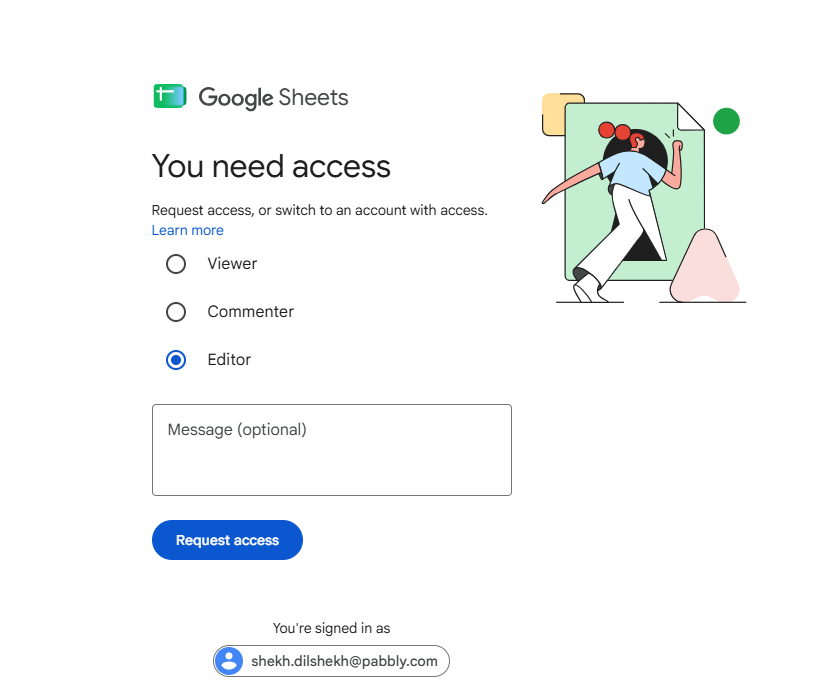
Could you please verify the permissions on your end and re-grant editor access to ensure it wasn't revoked or misconfigured?
Once confirmed, we will investigate the issue further for you.
Thanks & Regards,
Shekh Dilshekh
Customer Support Specialist
🎉Black Friday Early Access