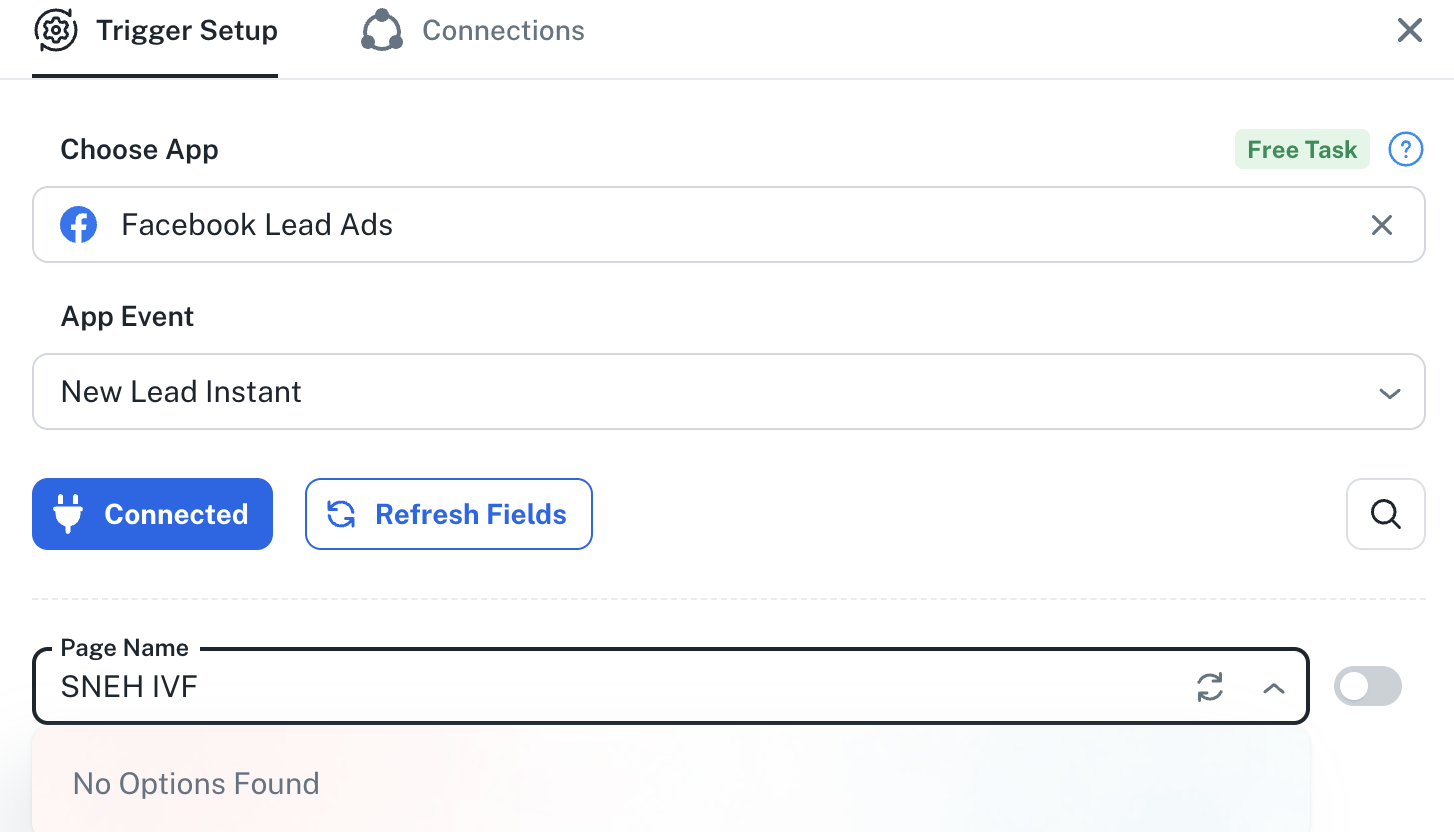
Facebook Page Not Showing in Pabbly Connect – Unable to Fetch Lead Gen Forms
Status: Awaiting reply · Asked by LOGAM DIGITAL on · 0 views
Title: Facebook Page Not Showing in Pabbly Connect – Unable to Fetch Lead Gen Forms
Hello Pabbly Support Team,
I am facing an issue with the Facebook Lead Ads integration in Pabbly Connect.
The Facebook Page I want to connect is not appearing in the Page dropdown, and I am also unable to fetch its Lead Gen Forms.
Here is what I have already checked:
I have Full Control access to the client's Facebook Business Portfolio and Page.
The Facebook Page is properly added to the client's Business Portfolio.
Pabbly Connect is already assigned under Leads Access → CRMs in Meta Business Settings.
I removed the old Pabbly Facebook integration and created a new Facebook connection, but the issue still persists.
I also tried creating a new connection using a different Facebook Page, but the required Page is still not showing.
Manual Entry Issue:
I tried manually entering the Facebook Page ID and Lead Gen Form name in Pabbly Connect.
Page ID: 1388384524360482
Form Name: IVF AHM (G) Q Change -4/11
However, even after entering these details manually, Pabbly is unable to fetch any lead response.
Expected Result:
I want Pabbly Connect to fetch the Facebook Page and its available Lead Gen Forms so that I can receive Facebook leads through my workflow.
Request:
Could you please investigate why my Facebook Page is not appearing in the dropdown despite having Full Control access and the required CRM permissions?
Please help me resolve this issue.
Thank you.