failed workflow task
Status: Closed · Asked by Christina Winter on · 0 views
Hi Christina,
Thank you for sharing the details.
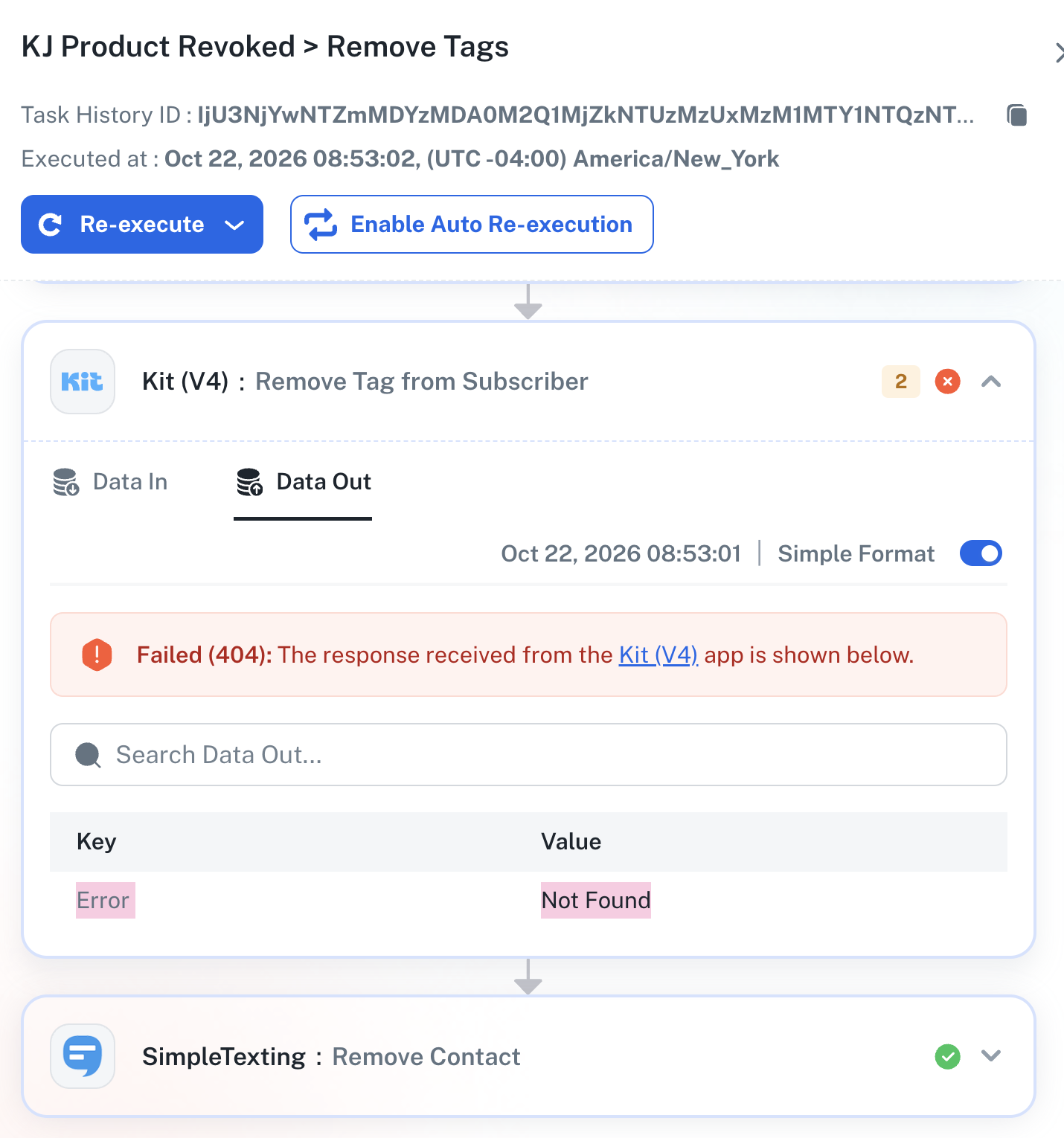
We reviewed your workflow and identified the issue. In the Kit (V4) – Remove Tag from Subscriber action, the Subscriber ID field requires the subscriber’s ID, but an email address was being passed instead. This is why the API returned a Not Found error.
To resolve this, please follow these steps:
Add a Kit(V4) - Find Subscriber By Email Address action step in your workflow.
Enter the subscriber’s email address in this step to retrieve their Subscriber ID.
Map the returned Subscriber ID to the Subscriber ID field in the Remove Tag from Subscriber action.
Ensure the correct Tag ID is entered, then test the workflow again.
Please make the above changes and test the workflow from your end.
If the issue persists after following these steps, please share the updated workflow URL and Task History ID at support@pabbly.com so we can investigate further.

Hi Christina,
We’re following up to check whether you were able to make the suggested changes and test the workflow.
If the issue persists, please share the updated workflow URL and Task History ID at support@pabbly.com so we can investigate further.
thank you for checking, it looks like the workflow is working properly now! I appreciate ⭐️⭐️⭐️⭐️⭐️ support and have already left a review!
Hello Christina,
Thank you for confirming! We appreciate your kind words and for taking the time to leave us a review.
If you have any further questions or need assistance, please feel free to reach out to us.