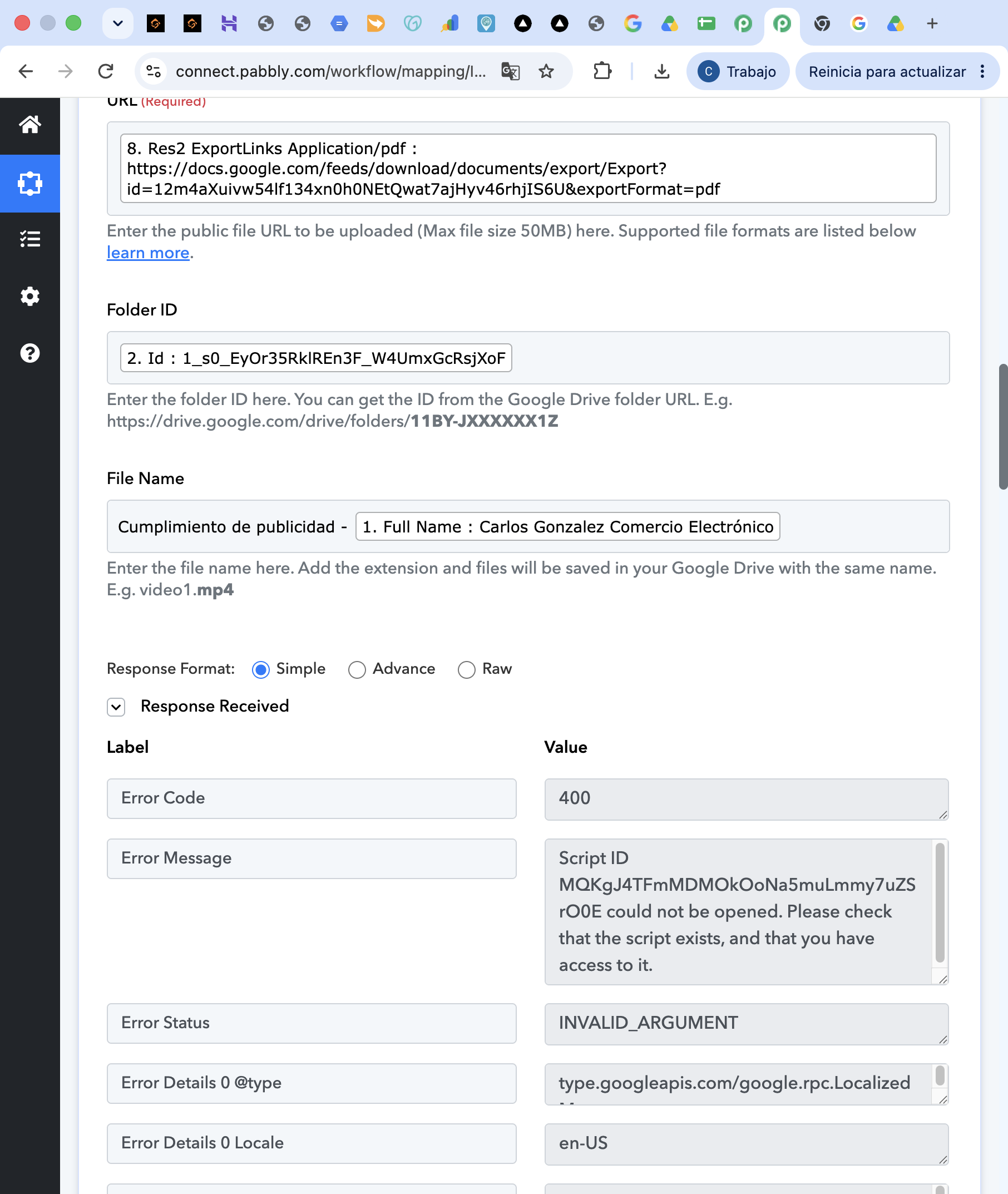
Google Drive "Upload a File" — Error 400 INVALID_ARGUMENT: Apps Script ID could not be opened
Status: Open · Asked by Abadesa Export Centrer SL B86507936 on · 0 views
The Google Drive → Upload a File action has started failing with a 400 error in a workflow that had been running unchanged for months.
Error returned:
Error Code: 400
Error Status: INVALID_ARGUMENT
Error Message: Script ID MQKgJ4TFmMDMOkOoNa5muLmmy7uZSrO0E could not be opened. Please check that the script exists, and that you have access to it.
The workflow generates a Google Doc, shares it, and then uploads the exported PDF back to a Drive folder. Nothing in the mapping was modified before the error appeared.
What I have already tried, with no change:
- Created a completely new Google connection on that step (not just Refresh Fields), accepting all permission screens
- Re-ran the previous step to capture a fresh response, then cleared and re-mapped both the URL and Folder ID fields from the mapping panel
- Tried the Folder ID as plain text instead of a mapped token
- Confirmed the exported PDF URL downloads correctly without login in an incognito window
- Added the .pdf extension to the File Name field
The key detail: other Google Drive actions in the same workflow, using the same connection, work perfectly. Create a File in a Specific Folder and Share a File With Anyone both return a successful response. Only Upload a File fails, and the error points to an Apps Script project rather than to the Drive API.
That Script ID is not a project I created, and it does not appear in my own Apps Script dashboard. Could you check whether the script backing this action is still accessible on your side?
Workflow URL provided in the private field.