Error with My workflow

Status: Closed · Asked by Dan Cook on · 0 views

Dan Cook — Question ·
I am just trying to delete the clickup task comment and I get a "Resulting graph fails validation". 
Please advise.
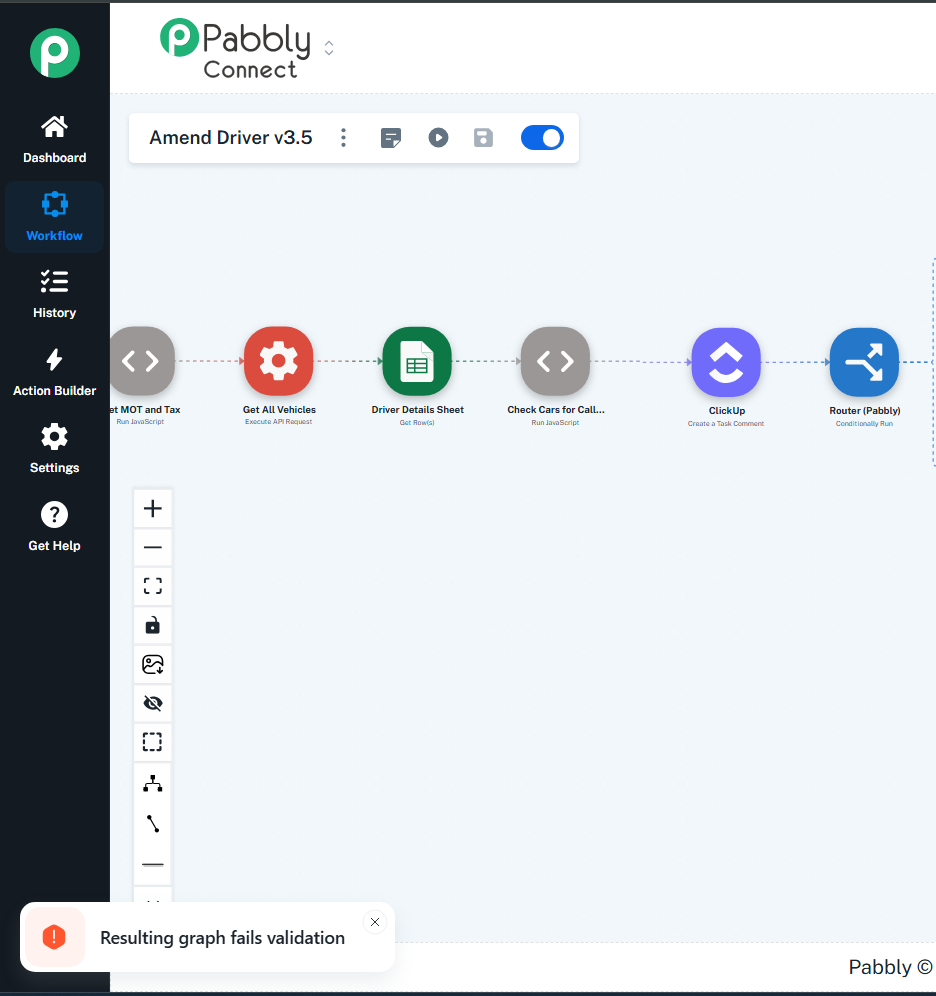
image.png
Dan Cook — Reply ·

When I try saving, it says canvas fails validation.

Pabbly Support — Reply ·

Hello,

Please hard refresh your browser, then try deleting the step and see if that resolves the issue.

Thanks & Regards,
Arshil Ahmad
🌐 Pabbly.com
Ajay kumar srivastava — Reply ·

Hi Dan,

The "Resulting graph fails validation" error in ClickUp nodes usually means that the API is receiving an unexpected or empty value in one of the required ID fields, causing the validation to fail before ClickUp can execute the delete action. When deleting a task comment, ClickUp requires a very specific mapping structure.

Here is how you can quickly troubleshoot and fix this setup:

First, check the mapped ID in your ClickUp delete comment step. Make sure you are passing the unique Comment ID (which usually looks like a long string of numbers or an alphanumeric string generated when the comment was created) and NOT the standard Task ID or User ID. If you map the Task ID in the Comment ID field, ClickUp's graph validation will reject it instantly.

Second, verify that the Comment ID is dynamically captured from a previous step. If you are using a generic delete action, look closely at the step before this one where the comment was either created or fetched. Map the exact "Comment ID" or "ID" output from that specific ClickUp trigger or action node.

Third, ensure that the Task ID field itself is also mapped correctly alongside the Comment ID if the module requires both. Sometimes, if the task has already been archived or moved to a different list just before this step runs, the parent graph structure breaks and throws this error.

Double-check the specific ID field mapping first, as it solves this validation issue almost every time. Let me know if you are still stuck after verifying the IDs!

Thanks,
Ajay Kumar | SEO Automation Expert


Pabbly Support — Reply ·

Hello Dan,

Can you record a screen video of the whole process you are following so we can understand the issue in a better way and provide information accordingly.

Thanks & Regards,

Adeel Akhtar
🌐 Pabbly.com

Pabbly Support — Reply ·

Thank you for sharing the video. Can we attempt to delete the Text Formatter action step from our end to confirm whether the issue is related to cached data?
image.png

Thanks & Regards,
Arshil Ahmad
🌐 Pabbly.com
Dan Cook — Reply ·

Yes of course!

It was originally a clickup comment but I changed it to a text formatter just in case there was an issue with the module.

Pabbly Support — Reply ·

Thank you for the confirmation. We have forwarded this concern to our technical team. We will get back to you once we receive an update from them.

Thanks & Regards,
Arshil Ahmad
🌐 Pabbly.com
Pabbly Support — Reply ·

Hello Dan,

Thank you for your patience.

The “Resulting graph fails validation” error has now been fixed.

It should work as expected now.

If you face any further issues, please let us know,w and we’ll assist you further.

Thanks & Regards,
Naman Bansod
Customer Support Specialist
🌐 Pabbly.com
👉 Rate your support
Dan Cook — Reply ·

Pabbly Support:
Hello Dan,Thank you for your patience.The “Resulting graph fails validation” error has now been fixed.It should work as expected now.If you face any further issues, please let us know,w and we’ll assist you further.Thanks & Regards, Naman Bansod Customer Support Specialist 🌐 Pabbly.com 👉 

Hi Naman,

Hope you're doing well!

Out of curiosity, what was the issue that caused this to happen?

Pabbly Support — Reply ·

Hello Dan,

It was a backend structural issue with the Workflow, which the Technical Team has fixed.

Thanks & Regards,

Adeel Akhtar
🌐 Pabbly.com

Back to all forum threads · Log in to reply