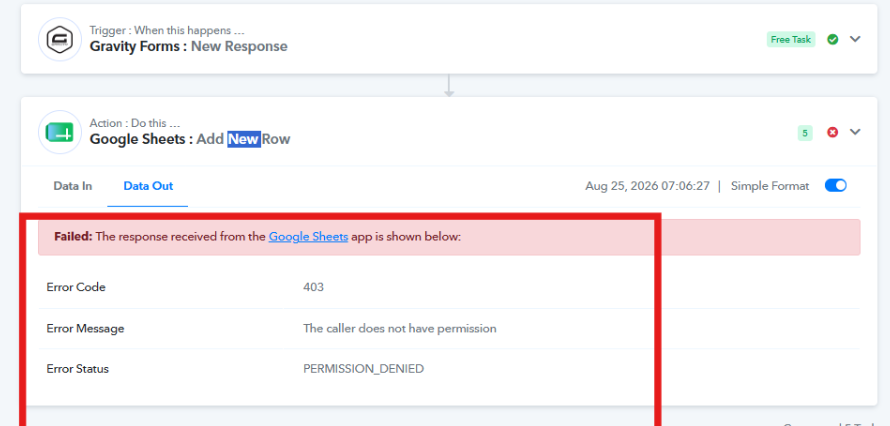
The caller does not have permission Darwin
Status: Closed · Asked by Blue Sixteen on · 0 views
Hi,
Could you please check on this? This step keeps failing. I already tried changing the account, but it's still failing. The step is just to add data to the Google Sheet, so I'm not sure why it says the caller does not have permission.
Hello there,
Thanks for contacting us.
It seems you connected the Google account but did not update the connection in the workflow action. We updated the new connection and re-executed the failed tasks; the data got added to the Google Sheet. Please check the added data in the Google Sheet.
Thanks & Regards,
Adeel Akhtar
🌐 Pabbly.com