how to deactivate ai assistant for all chats?

Status: Closed ยท Asked by Hartamas Real Estate on ยท 0 views

Hartamas Real Estate โ€” Question ยท
"Couldn't deactivate AI Assistant Hartamas Valuation Hotline. This AI Assistant is handling a live chat, so end that chat first."
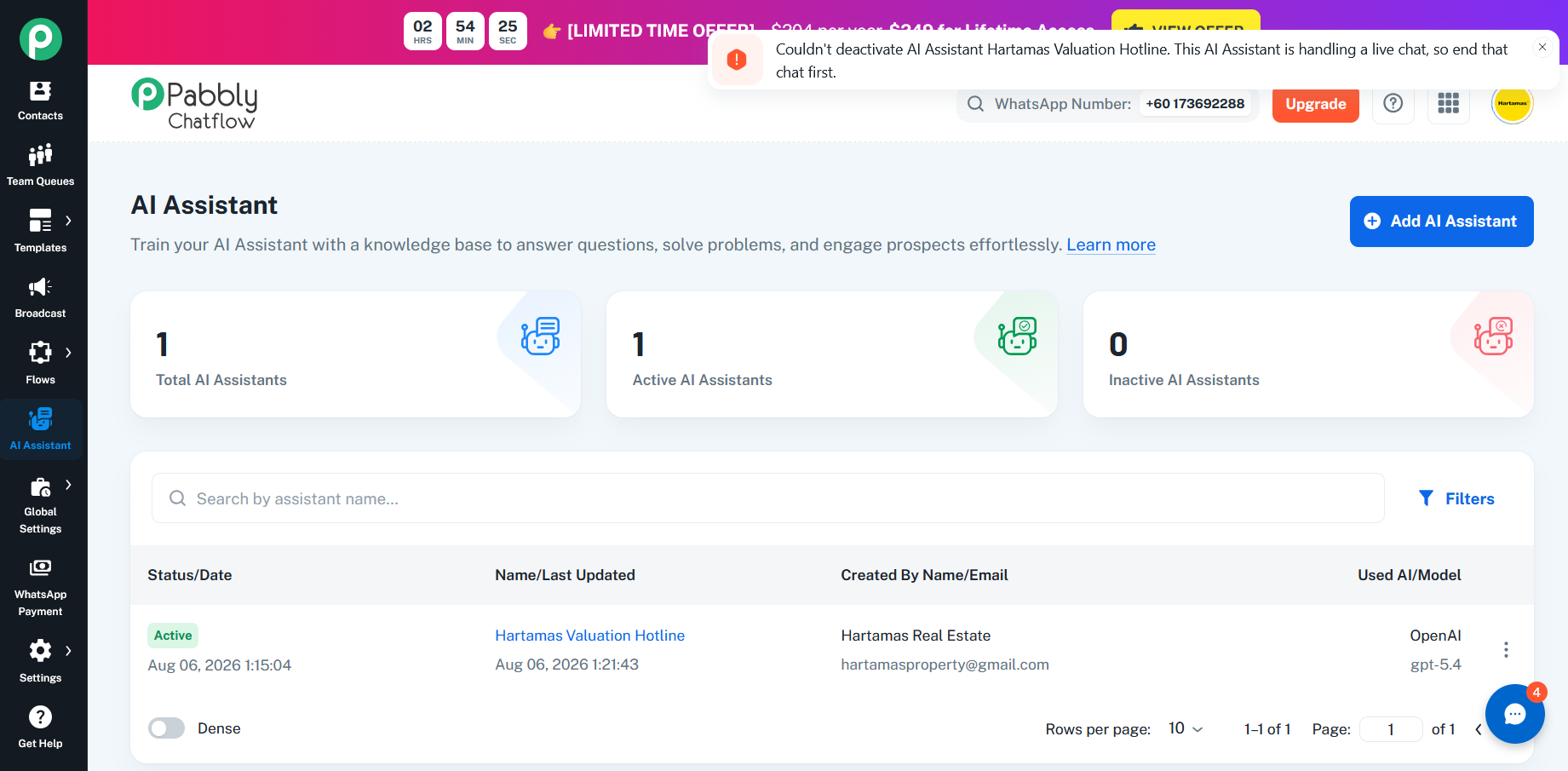
Screenshot 2026-09-14 103706.png
Pabbly Support โ€” Reply ยท

Hello,

Thanks for reaching out. The error appears because the AI Assistant is still assigned to active chats, so it can't be disabled directly. There are two ways to resolve this depending on what you're trying to do:

Option 1 - Disable the AI Assistant:
1. Go to Settings.
2. Navigate to Inbox Settings.
3. Scroll down to the AI Auto-Reply Settings section.
4. Disable the AI Auto-Reply option.

Once AI Auto-Reply is turned off, the assistant will be unassigned from the chats it was handling, and you should then be able to toggle it off without seeing the error.

Option 2 - If you also want to fully delete the assistant:
1. Deactivate the WhatsApp number the assistant is connected to.
2. Open the Inbox and locate the chat where the assistant is still assigned.
3. Update that chat's status (e.g., change it from Active/Open to Resolved/Closed) so the assistant is no longer attached to it.
4. Return to the AI Assistant section and try again.

Please note that simply turning off 'Choose AI Assistant' on visible chats is not enough - the assistant must be removed from every active chat before it can be disabled or deleted.

If the error persists after these steps, please let us know and we'll be glad to investigate further.

Thanks & Regards,
Hrishabh
Customer Support Associate
๐ŸŒ Pabbly.com
๐Ÿ‘‰ Rate your support

Back to all forum threads ยท Log in to reply