how to manage auto post on blogger as a category
Status: Closed · Asked by Hamed Intezaar on · 0 views
Hello Hamed,
Thank you for sharing the screenshot.
In Google Blogger, categories are called Labels. To assign a post to a specific category/label, follow these steps in your workflow:
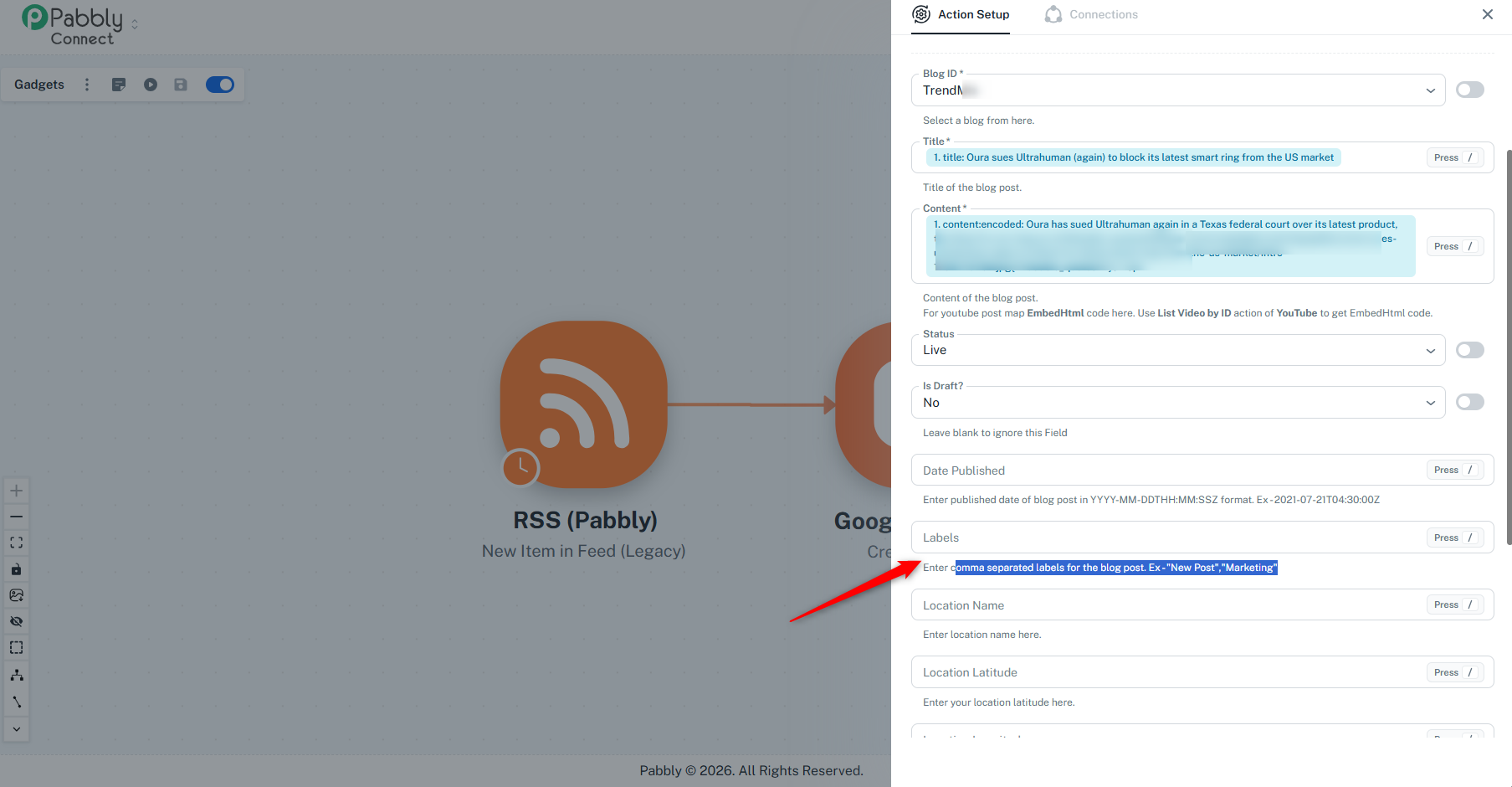
Locate the Labels field in your Google Blogger action step.
Enter the name of your desired category/label directly into the field (e.g.,
TechnologyorNews). If you want to assign multiple labels, separate them with commas (e.g.,New Post, Marketing). You can also map a category dynamically from your RSS feed trigger step if available.Scroll down and click Save & Send Test Request to update the workflow.
Once added, Blogger will automatically group posts under that label, allowing them to appear in that specific category/label section on your blog.

thank you for very fast support i think so like you today but not applied but now i will do thanks again
Hello Hamed,
Please give it a try at your convenience. If you encounter any issues or need further assistance with your workflow, feel free to reach out to us. We'll be happy to help.
Thanks & Regards,
Shekh Dilshekh
Customer Support Specialist
🎉Black Friday Early Access