Rule Does not work & Enable Error still Send Email notification

Status: Closed · Asked by IChild Company on · 0 views

IChild Company — Question ·
Dear Support,

1. We have set a Router condition only execute if Email is Not Empty or Exist. BUT the flow still enacts and cause an error when sending email. Please check? 

AND

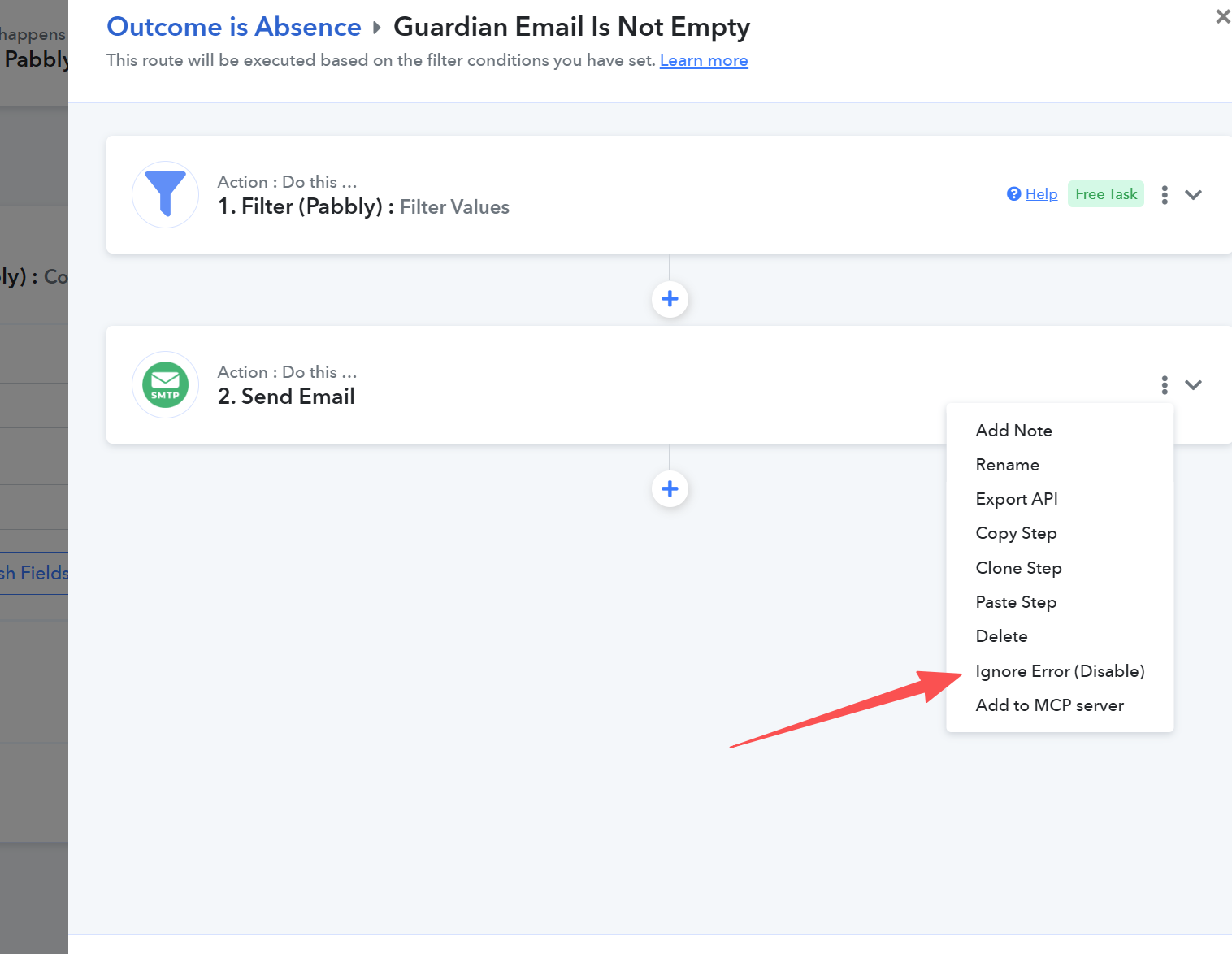
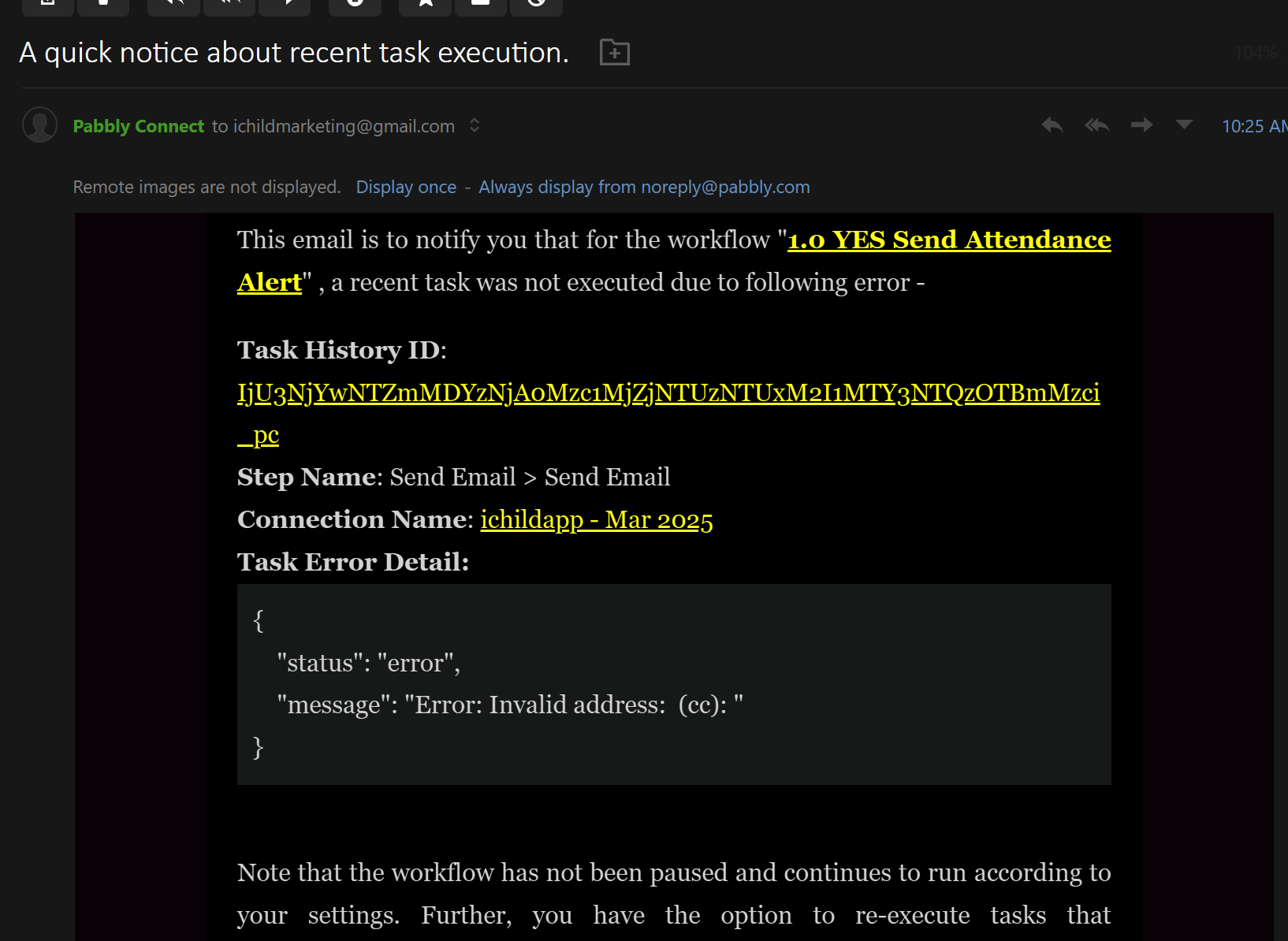
2. Why does the system still send an error email when we have enabled "Ignore Error (Enabled)" . Please check on this else we will be getting so many redundant email alerts.
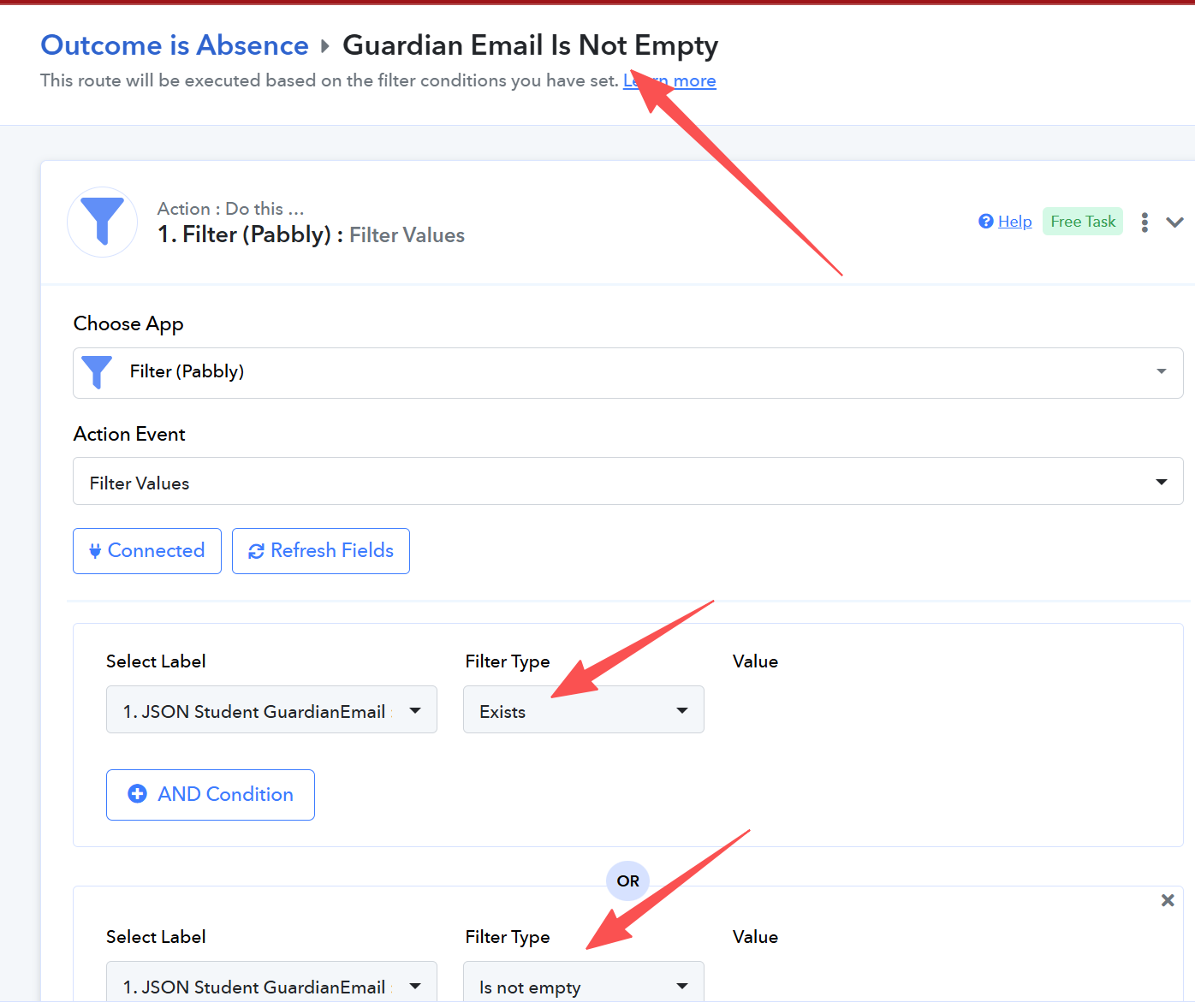
Empty Email or Does not existing.png
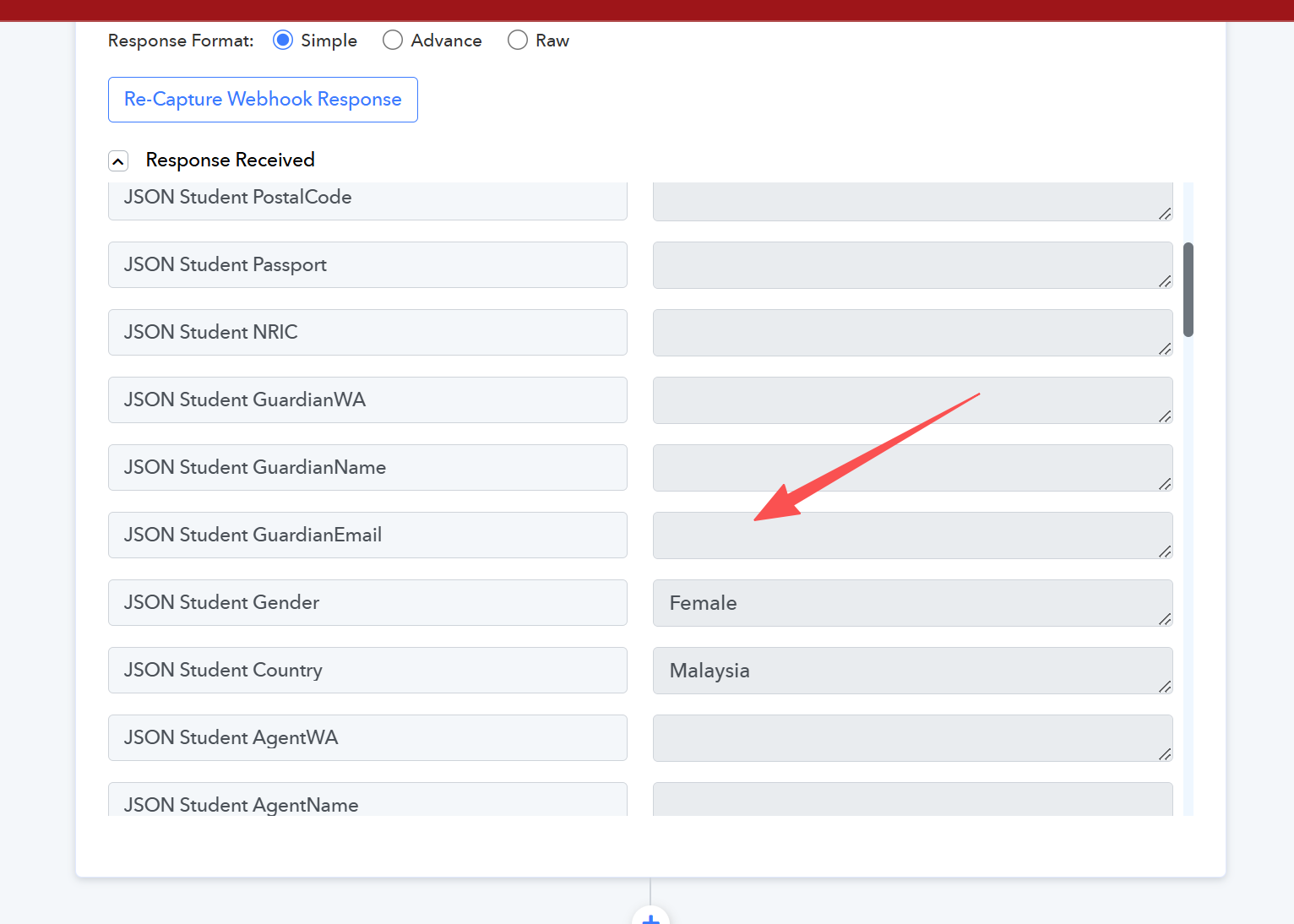
Empty Email Field.png
Effected Ignore Error.png
Still Send Error Email.png
Fagun Shah — Reply ·

1, Your filter is OR condition, so if the Key Exist then it will go ahead. If you want both conditions to be true then use AND and not OR.

  1. Ignore error(enabled) is used to execute next step even though there are error in that step(dependent steps), it doesn't stop sending error emails.

IChild Company — Reply ·

My question to your logic:

If the Email is empty, does the Key exist?

Logic.png


Fagun Shah:
1, Your filter is OR condition, so if the Key Exist then it will go ahead. If you want both conditions to be true then use AND and not OR.Ignore error(enabled) is used to execute next step even though there are error in that step(dependent steps), it doesn't stop sending error emails.

IChild Company — Reply ·

As such If there is an email record (not empty), will this Route execute / proceed?

Proceed if NOT EMPTY.png

Fagun Shah — Reply ·

IChild Company:
My question to your logic: If the Email is empty, does the Key exist? Fagun Shah:1, Your filter is OR condition, so if the Key Exist then it will go ahead. If you want both conditions to be true then use AND and not OR.Ignore error(enabled) is used to execute next step even though there are error in

You yourself shared a screenshot where email is empty but key exist -

image.png

Fagun Shah — Reply ·

IChild Company:
As such If there is an email record (not empty), will this Route execute / proceed?

What do you want to do exactly with conditions? Try to explain in plain english.

Currently Pabbly filters are working as expected, there is no issue on filter functionality.

Pabbly Support — Reply ·

Hello,

Thank you for reaching out and for sharing the screenshots. Let me address both points:

1. Router condition still runs and errors on the email step:
As mentioned by Fagun Shah, Filter condition is working normally, with the OR condition if either of the condition is fulfilled then tthe workflow will execute further. As the Label/key is available and empty as well, the filter is True. You can try an AND condition if you want both the condition to be fulfilled. Or you can explain your use case so that we can provide information accordingly.

2. Still receiving error emails even with 'Ignore Error' enabled:
This is expected behavior. Enabling 'Ignore Error' allows the workflow to continue past the failed step, but you will still receive failure-notification emails for those ignored errors.

Thanks & Regards,

Adeel Akhtar
🌐 Pabbly.com

IChild Company — Reply ·

Fagun Shah:
IChild Company:My question to your logic: If the Email is empty, does the Key exist? Fagun Shah:1, Your filter is OR condition, so if the Key Exist then it will go ahead. If you want both conditions to be true then use AND and not OR.Ignore error(enabled) is used to execute next step even though the

Base on this screenshot. Does it mean:

1. Key = JSON Student GuardianEmail
2. Key Exist = True
3. Key is empty = True.

I am confused the definition about "Key" here.

Pabbly Support — Reply ·

Hello,

Yes, your understanding is correct.

In the filter:

  1. Key = Student GuardianEmail — this is the label/field name that you want to check.

  2. Key Exists = True — checks whether the specified key/field exists.

  3. Key is Empty = True — checks whether the specified key/field is empty.

The Key refers to the field/label on which you want to apply the filter.

Also, when you select filter types such as Exists or Is Empty, you do not need to provide any additional value. The filter simply checks the condition for the selected key.

I hope this clarifies the filter configuration for you.

Thanks and Regards,
Preeti Paryani
Customer Success Associate,
Pabbly.com

Back to all forum threads · Log in to reply