
Upgrading or downgrading subscription is the process of editing an existing subscription after the subscription has been created. It can include change of quantity, change of price, or charging a prorated price for the upgraded/downgraded subscription. Pabbly Subscription Billing allows you to upgrade or downgrade subscriptions for your customers. The process of collecting payments while upgrading subscriptions is different with different gateways.
1. Auto-Collecting Payments via Stripe:
Stripe is one of the most popular gateways to collect payments from any part of the world. Stripe allows you to charge directly from your customer's card for collecting one-time or recurring payments. Hence, while upgrading/downgrading the plan if you collect payments from Stripe gateway, your customer's card would be automatically charged on upcoming due dates.
2. Auto-Collecting Payments via PayPal, RazorPay Subscription, or other Payment Gateways:
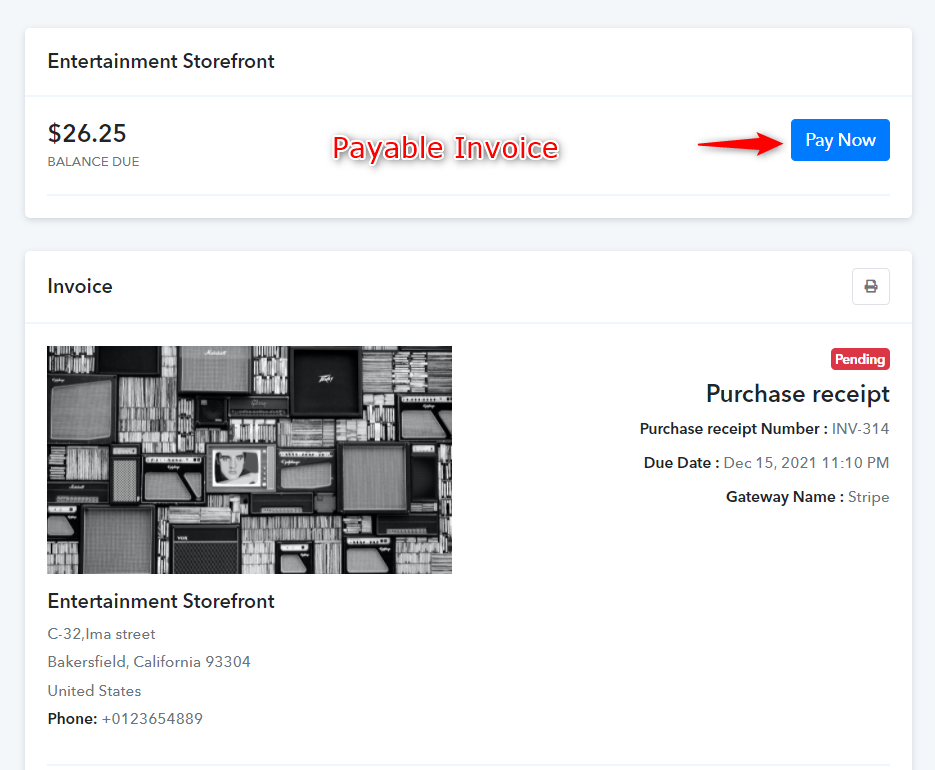
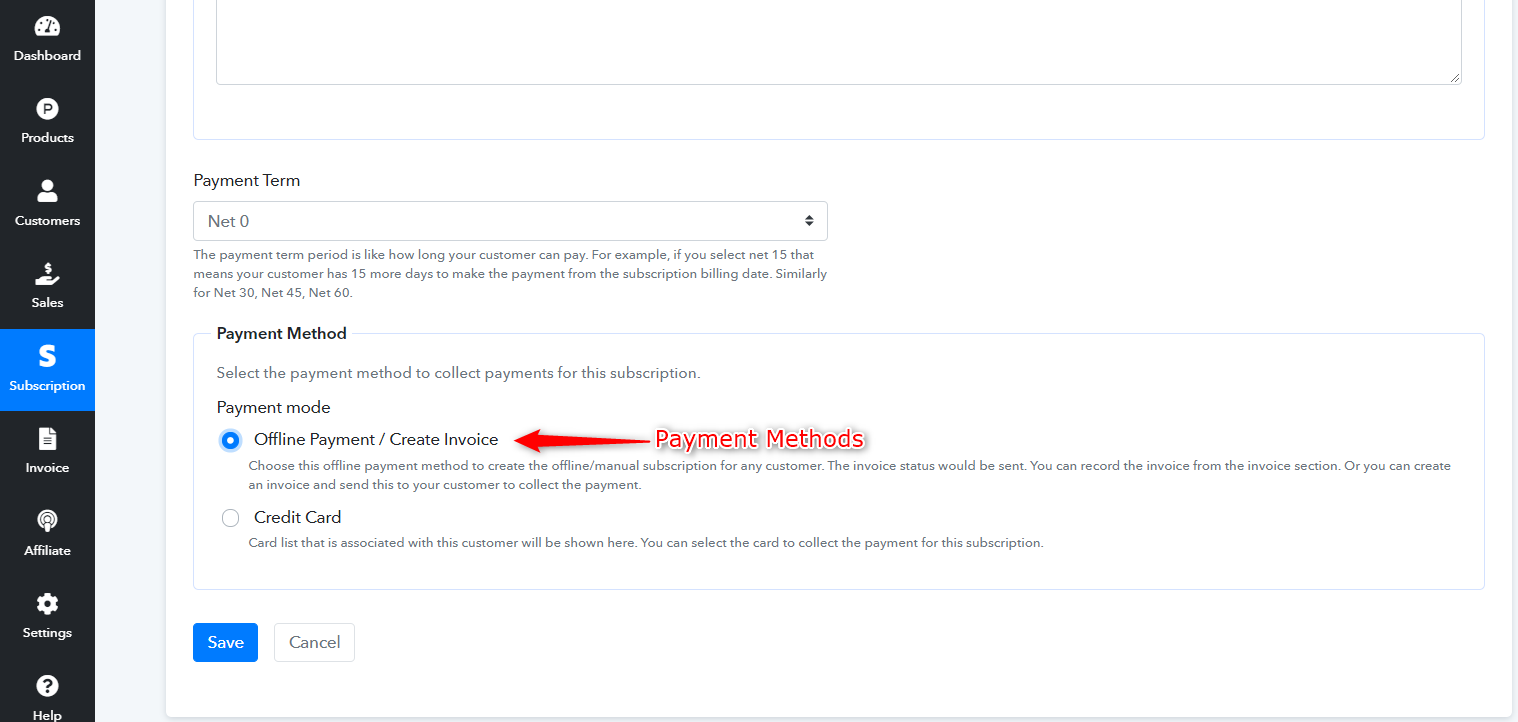
While purchasing or creating the subscription, your customer can pay via PayPal, RazorPay Subscription, or any other gateway that you've integrated into your account. But while charging for a subscription upgrade, auto-deduction would not function if the payment gateway is not Stripe. To solve this, A Payable invoice can be sent to your customer on their email with the due amount if you choose the payment method as "offline/create invoice" while upgrading the plan. They'll have the option to pay through any of the gateways that you're offering for that particular plan.
Note: A prorated due amount would be calculated and generated by the system depending upon the time when the subscription is being edited within the billing cycle.
1. Auto-Collecting Payments via Stripe:
Stripe is one of the most popular gateways to collect payments from any part of the world. Stripe allows you to charge directly from your customer's card for collecting one-time or recurring payments. Hence, while upgrading/downgrading the plan if you collect payments from Stripe gateway, your customer's card would be automatically charged on upcoming due dates.
2. Auto-Collecting Payments via PayPal, RazorPay Subscription, or other Payment Gateways:
While purchasing or creating the subscription, your customer can pay via PayPal, RazorPay Subscription, or any other gateway that you've integrated into your account. But while charging for a subscription upgrade, auto-deduction would not function if the payment gateway is not Stripe. To solve this, A Payable invoice can be sent to your customer on their email with the due amount if you choose the payment method as "offline/create invoice" while upgrading the plan. They'll have the option to pay through any of the gateways that you're offering for that particular plan.
Note: A prorated due amount would be calculated and generated by the system depending upon the time when the subscription is being edited within the billing cycle.
Last edited by a moderator:

