Templates not approved
Status: Open · Asked by Rajesh Sharma Sharma on · 0 views
Hello Rajesh,
Thank you for reaching out!
WhatsApp template approvals in Pabbly Chatflow are handled entirely by Meta Business Platform and not by Pabbly. Templates are often approved within minutes, but Meta’s review can take up to 24-48 hours, and occasionally longer depending on their review load.
To check the current status of your templates, please follow these steps:
Log in to Meta Business Suite.
Go to WhatsApp Manager.
Navigate to Message Templates.
Review the status of the templates you have created, such as Approved, In Review, or Pending.
If the template is showing as Approved in Meta Business Suite but is still showing as Pending in Pabbly Chatflow, kindly share a screenshot of the template status from Meta. This will help us review the issue further.
For better understanding, you may also refer to the attached screenshot for guidance on navigating to the Message Templates section.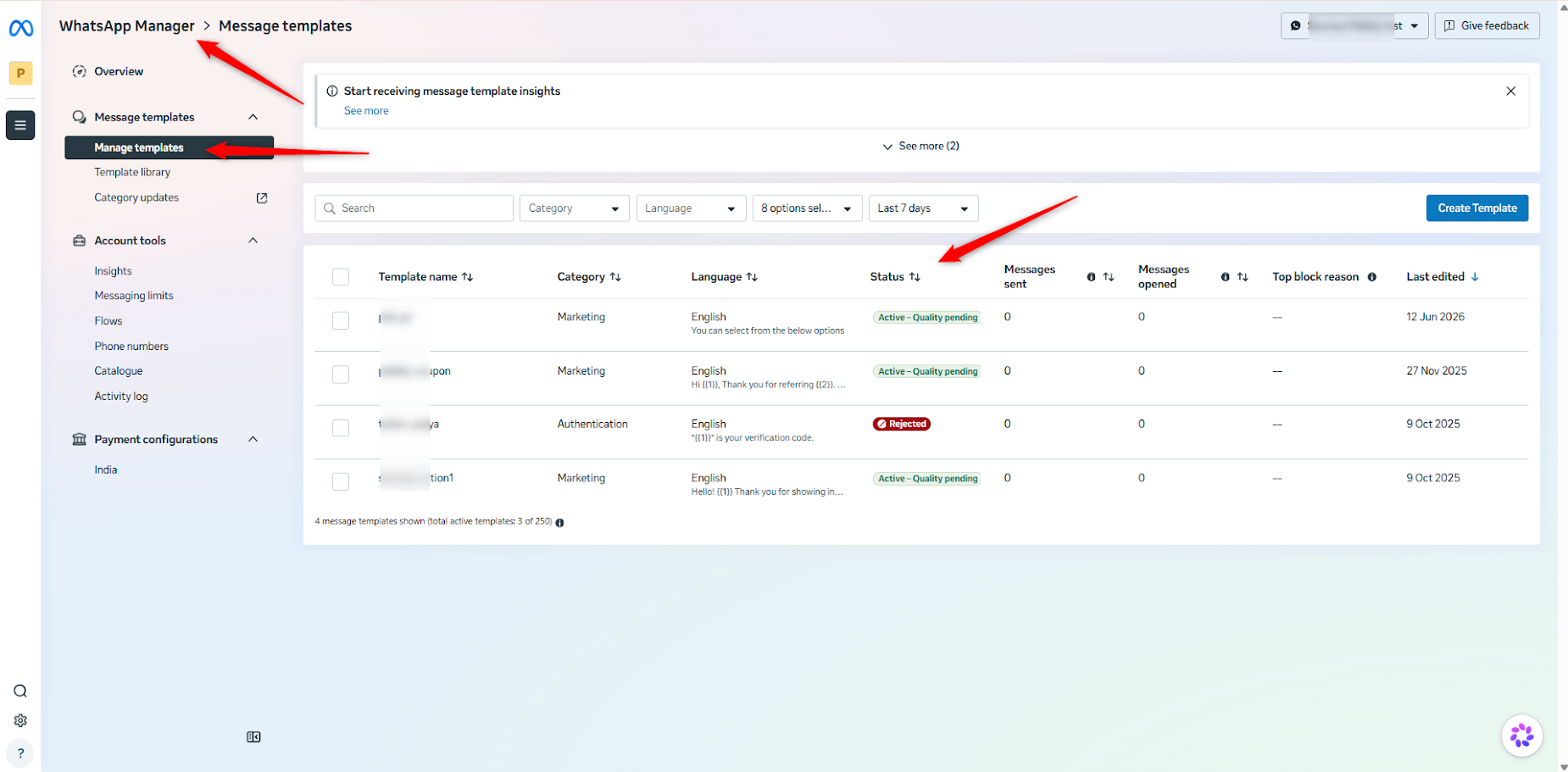
We look forward to your response.
Thanks & Regards,
Shekh Dilshekh
Customer Support Specialist