Typo and misleading wording in the default "Stripe SCA Confirmation Email To Customer" template
Status: Open · Asked by Sven Bosau on · 0 views
I noticed two things in the default template for "Stripe SCA Confirmation Email To Customer" that might be worth updating for all accounts.
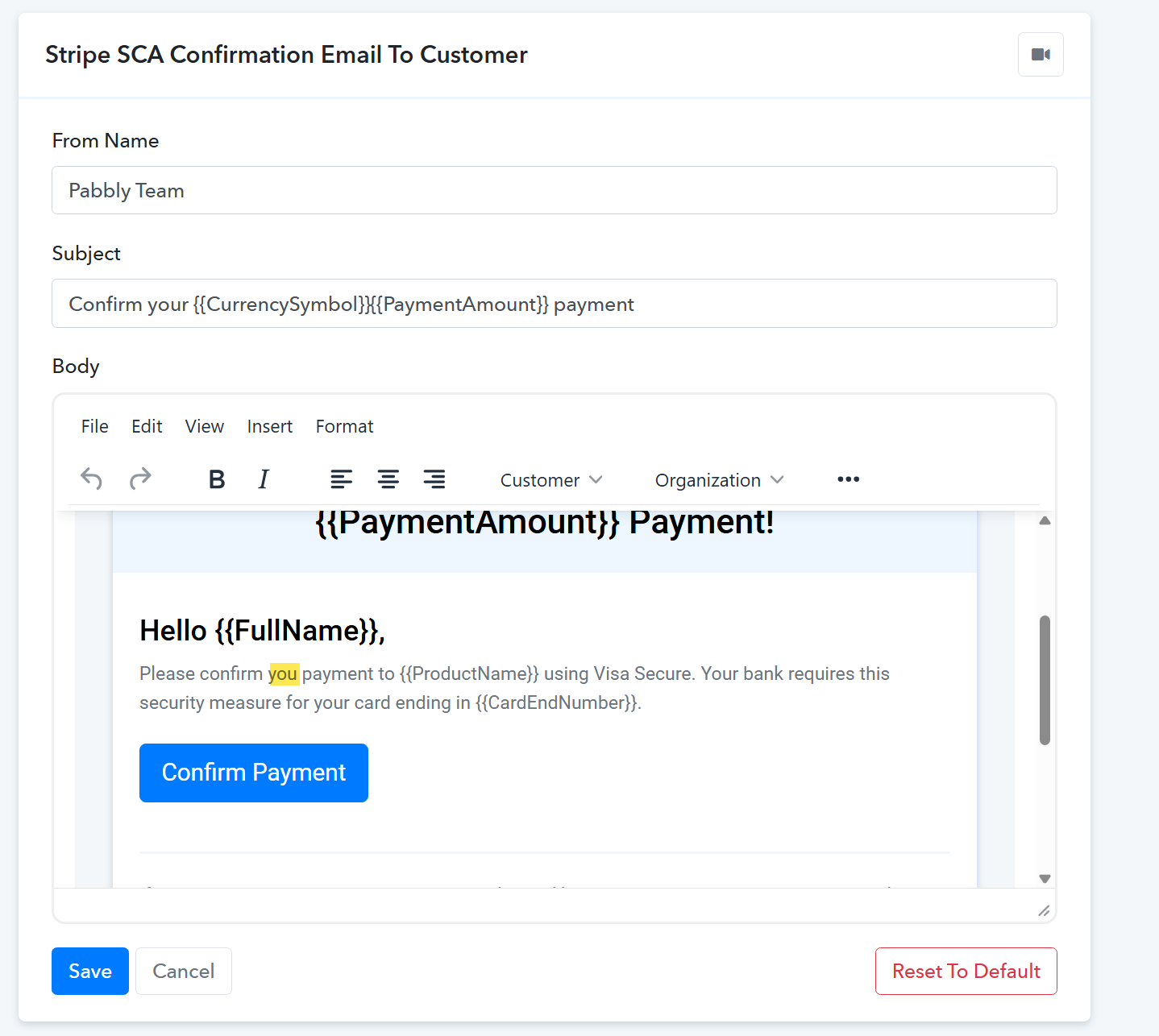
1. Typo: the body says "Please confirm you payment to {{ProductName}}". I think it should be "your".
2. Card network wording: the text says "...using Visa Secure. Your bank requires this security measure for your card ending in {{CardEndNumber}}." Since this email also goes out for Mastercard, American Express and other cards, customers with those cards may be confused about why it mentions Visa. Maybe something card-neutral would work better, for example:
"Please confirm your {{ProductName}} payment. Your bank needs you to approve it once for your card ending in {{CardEndNumber}}. It only takes a moment."
Or, if you prefer to name the security step, "3D Secure" is the general term that covers all card networks.
I've already adjusted my own template, so this is just a suggestion for the default.
Thanks!
Sven