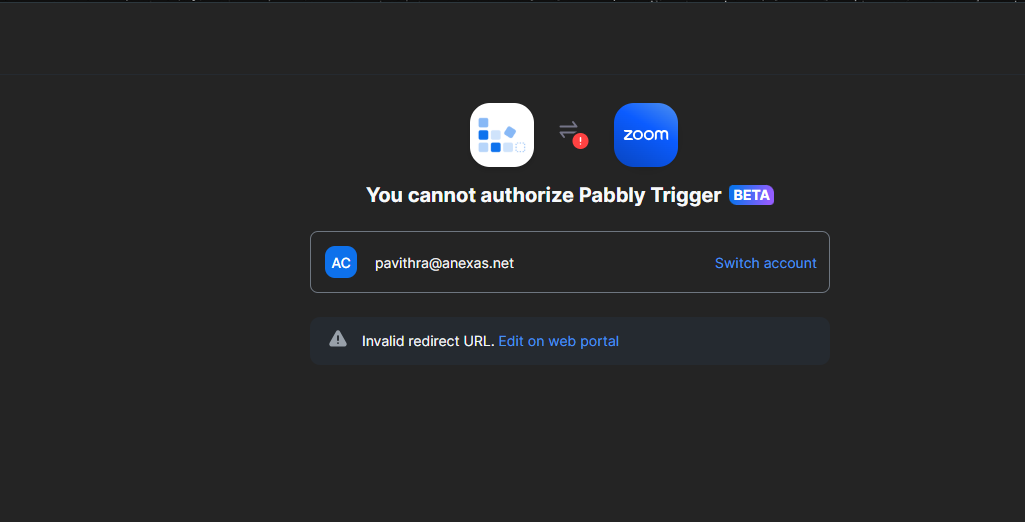
Unable to Connect Zoom with Pabbly – “Invalid Redirect URL” Error
Status: Open · Asked by The Anexas story on · 0 views
Hello Pabbly Support Team,
I am trying to connect my Zoom account with Pabbly Connect to create a trigger for Zoom Webinar Registration – “Webinar Registration has been created.”
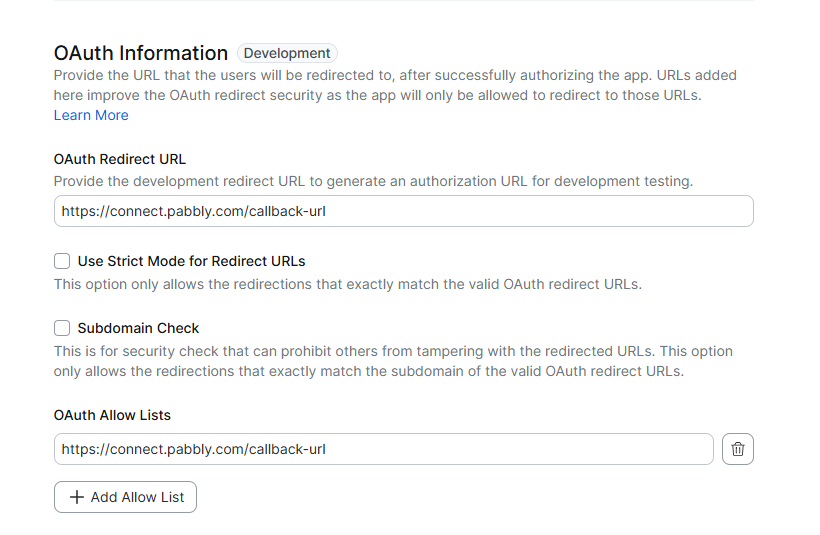
I have followed the Zoom and Pabbly setup instructions and configured the Zoom OAuth settings as follows:
OAuth Redirect URL:
https://connect.pabbly.com/callback-url
OAuth Allow List:
https://connect.pabbly.com/callback-url
However, when I try to authorize/connect the Zoom account through Pabbly, Zoom shows the following error:
“You cannot authorize Pabbly Trigger BETA – Invalid redirect URL. Edit on web portal.”
I have already checked and updated the OAuth Redirect URL in the Zoom Developer Portal, but the issue still occurs.
I have also configured the Zoom Event Subscription with:
- Webhook Method: Webhook
- Event: Webinar → Webinar Registration has been created
- Pabbly webhook endpoint URL: Added successfully
Could you please check whether the redirect URL configured for the Pabbly Zoom Trigger BETA has changed or whether there is any specific OAuth URL/setting that I need to use?
I have attached screenshots of the Zoom OAuth configuration and the error for your reference.
Please guide me on the exact configuration required to successfully connect Zoom with Pabbly Connect.
Thank you.