WhatsApp Cloud API error (#100) Invalid parameter
Status: Open · Asked by Gaurav Malu on · 0 views
I am getting an error while sending the whatsapp messages through WhatsApp Cloud API;
Complaint Registration - WhatsApp to Customer and Employee
Task History ID - IjU3NjEwNTZlMDYzMTA0M2M1MjZiNTUzYzUxMzI1MTYxNTQzNCI_3D_pc
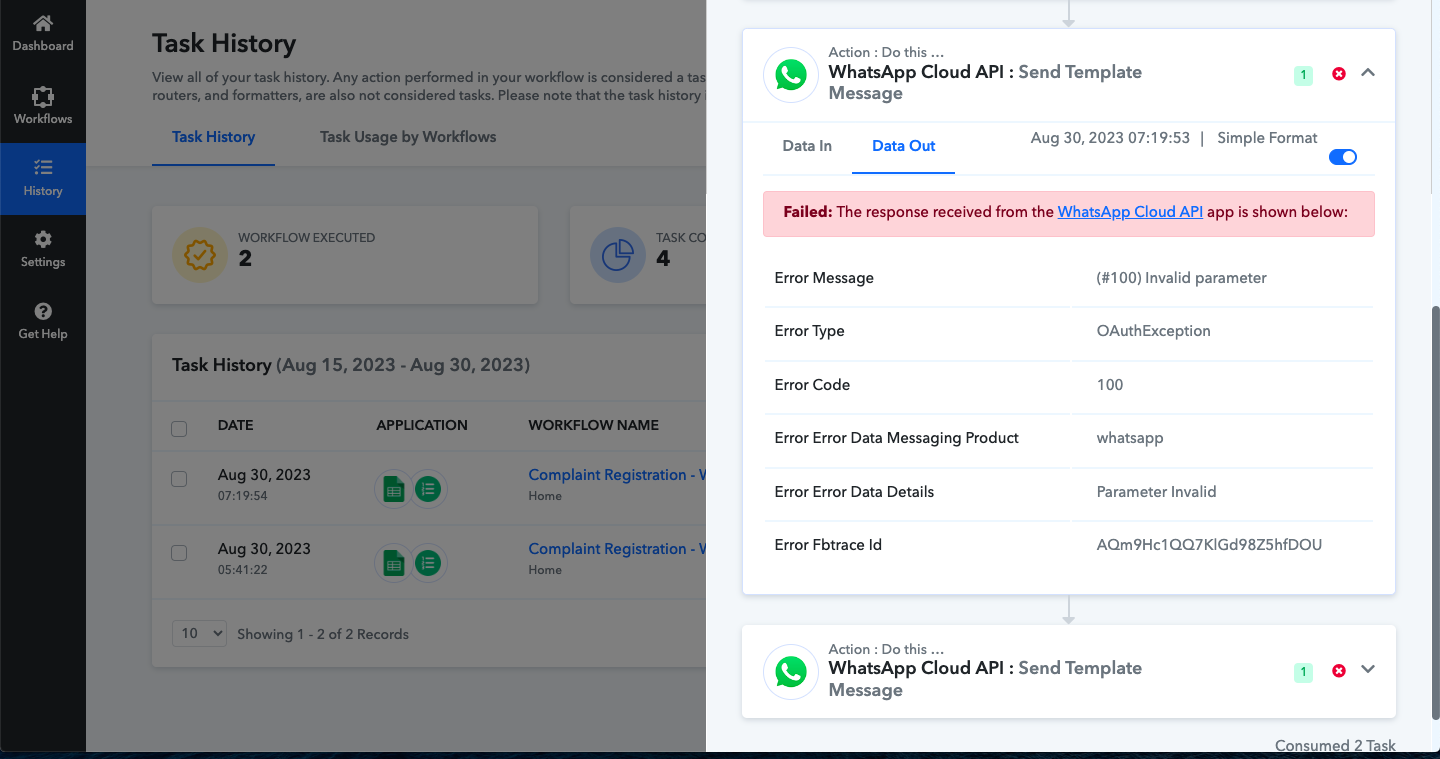
Step Name: WhatsApp Cloud API > Send Template Message
Connection Name: WhatsApp Cloud API #02
Task Error Detail:
[TABLE]
[TR]
[TD]Error Message[/TD]
[TD](#100) Invalid parameter[/TD]
[/TR]
[TR]
[TD]Error Type[/TD]
[TD]OAuthException[/TD]
[/TR]
[TR]
[TD]Error Code[/TD]
[TD]100[/TD]
[/TR]
[TR]
[TD]Error Error Data Messaging Product[/TD]
[TD]whatsapp[/TD]
[/TR]
[TR]
[TD]Error Error Data Details[/TD]
[TD]Parameter Invalid[/TD]
[/TR]
[TR]
[TD]Error Fbtrace Id[/TD]
[TD]AKnP_bENZbUJKiiHpD6RDb0[/TD]
[/TR]
[/TABLE]
Tried reconnecting the action step again, I am receiving the whatsapp message when "save and send test request" is done. Then from the googlesheet when i m trying to send it manually through "Send Custom Data" to check whether I receive the message, but again getting the same error.
I have another workflow in that I have the same whatsapp authorisation but that workflow is executed without any error. Messages were sent. But messages are not being sent form this workflow.
Attachments
Hey @Gaurav!
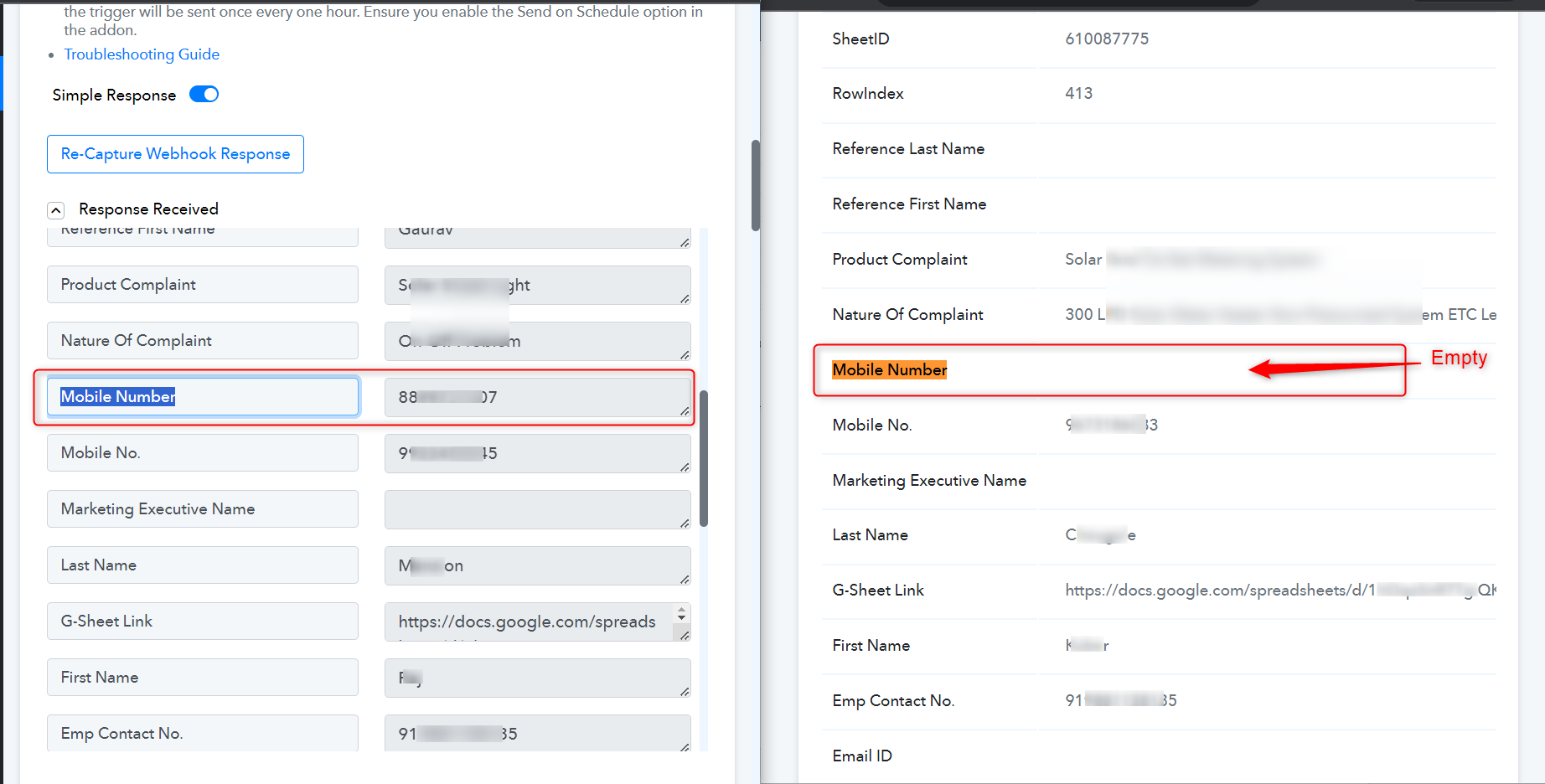
We have reviewed your workflow and its history, and identified that in the history, the "Mobile Number" field is appearing as empty. As a result of which, the mobile number is being passed as blank, giving an error in the WhatsApp Cloud API action step.
Please ensure that the key you mapped in the workflow steps is same and not empty.