Error "error > message": "Quota exceeded for quota metric \u0027Write requests\u0027 and limit \u0027Write requests per

Status: Closed · Asked by KK ONG on · 0 views

KK ONG — Question ·

Hi Support,

I'm having an error when syncing data to Google Sheets through Pabbly Connect.


The error shows 429 – Quota exceeded / write requests per minute.

I'm not sure what is causing this. Is this related to my Pabbly plan limit, Google Sheets API limit, or something else?

Could you please help me check and advise how I can fix this?


Currently is ok since i rerun it. I just wish to avoide it happen again . Since it happened few times today


Thank you.
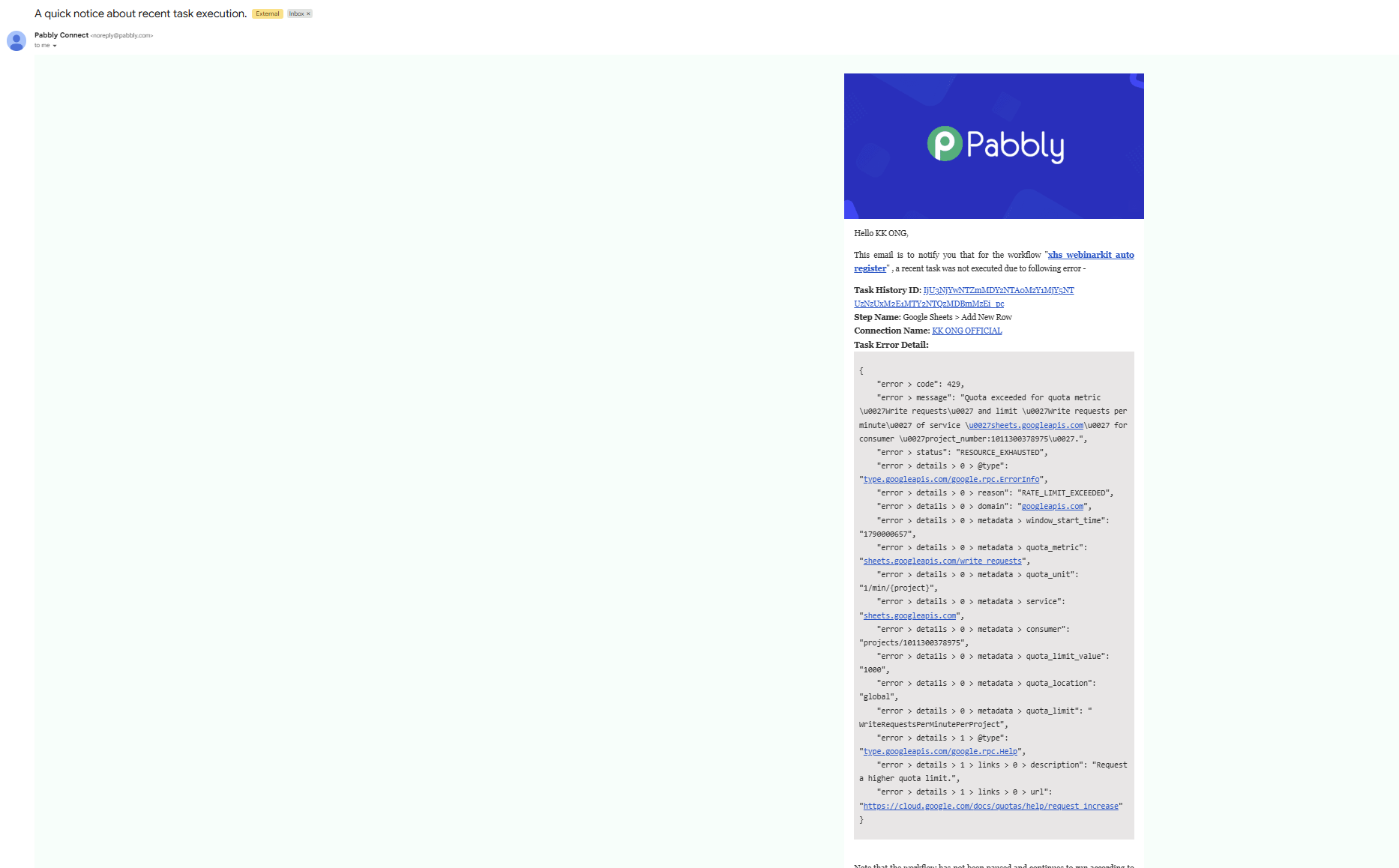
屏幕截图 2026-09-21 223328.png
Pabbly Support — Reply ·

Hello,

Thanks for reaching out, and I'm glad to hear the task went through on re-run.

The error you're seeing — 429 Quota exceeded for 'Write requests' — is returned directly by the Google Sheets API, not by your Pabbly plan. Google Sheets allows only 60 write requests per minute per user. When many rows are written in quick succession (for example, when a workflow generates several records rapidly), you can hit this quota and get the RATELIMITEXCEEDED / 429 error.

To avoid it happening again:

1. Add an inbuilt Delay (Pabbly) step before or between your Google Sheets Add/Update Row actions so writes stay under 60 per minute. A delay of around 1 minute between heavy write batches is a good starting point, and you can tune it shorter if your write volume per minute is well below Google's quota.
2. Use the built-in Delay (Pabbly) → Add Time Delay action as its own step for any throttling needs. Avoid custom in-step delays.
3. Any tasks that did fail can be re-executed from the Task History section.

Please note the Delay module spaces out execution at the API level, so total wall-clock time may still look faster than expected — that's normal.

Thanks & Regards,
Hrishabh
Customer Support Associate
🌐 Pabbly.com
👉 Rate your support

Pabbly Support — Reply ·

Hello,

This is a follow-up regarding the Google Sheets quota issue. As shared earlier, the 429 “Quota exceeded for 'Write requests'” error is returned by the Google Sheets API when the write request limit is exceeded.

To help prevent the issue from recurring, kindly ensure that a Delay (Pabbly) → Add Time Delay step is added before or between your Google Sheets Add/Update Row actions to space out the requests.

You can also re-execute any tasks that failed due to the quota error from the Task History section.

Kindly check the workflow and let us know if the issue persists after adding the required delay. We will be happy to assist you further.

Thanks & Regards,

Shekh Dilshekh

Customer Support Specialist

🌐 Pabbly.com

👉 Rate your support


Pabbly Support — Reply ·

Hello,

This is a final follow-up regarding the Google Sheets quota issue. As shared earlier, the 429 “Quota exceeded for 'Write requests'” error is returned by the Google Sheets API when the write request limit is exceeded.

To help prevent this issue from recurring, please ensure that a Delay (Pabbly) → Add Time Delay step is added before or between the Google Sheets Add/Update Row actions to space out the requests.

You can also re-execute any tasks that failed due to the quota error from the Task History section.

As we have not received any further updates, we will be closing this ticket for now. If the issue persists after adding the required delay, simply reply to this email, and we will be happy to assist you further.

Thanks & Regards,

Shekh Dilshekh

Customer Support Specialist

🌐 Pabbly.com

👉 Rate your support


Back to all forum threads · Log in to reply