How to clean my subscriber list from bounced email.
Status: Open · Asked by vishal chanania on · 0 views
Hello Vishal,
Thanks for reaching out.
You don't need to manually delete bounced addresses from your main list. Pabbly Email Marketing automatically moves bounced emails to a Suppression List to protect your delivery reputation, so once an email bounces, it is blocked from being emailed again even if it stays in your contact list. You can view these under Subscribers in the left menu, then Suppression List, then the Bounce tab.
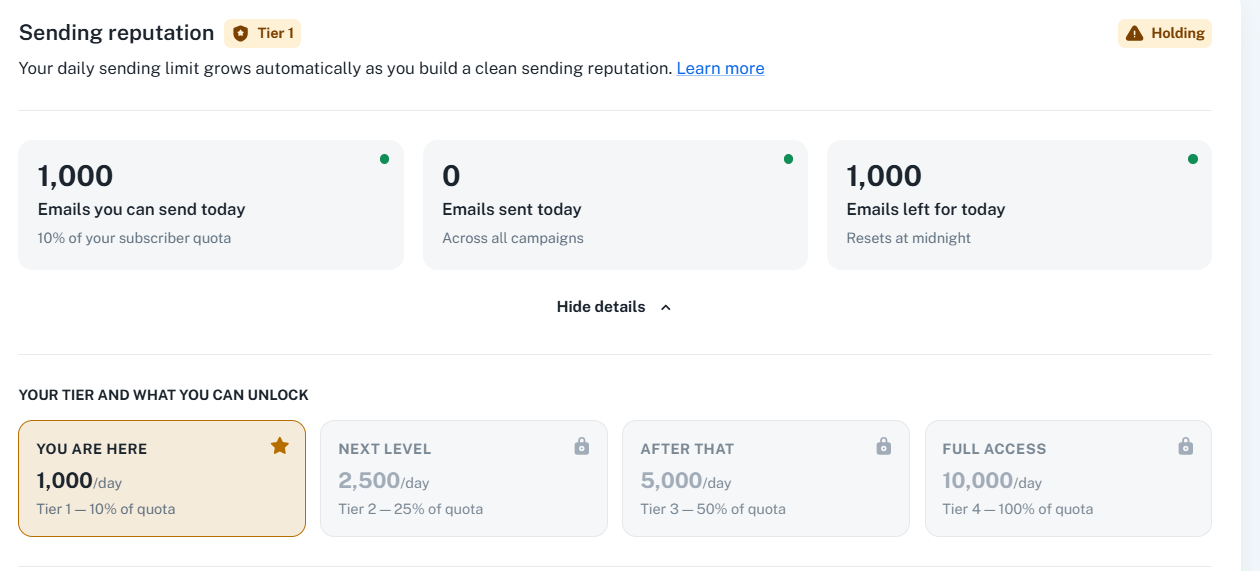
The reason your sending reputation is on hold is high bounce activity. To recover it, the recommended approach is:
1. Run your subscriber list through Pabbly Email Verification/list cleaning to identify invalid, risky, and undeliverable addresses: https://www.pabbly.com/email-list-cleaning/
2. Remove the invalid/undeliverable addresses from your cleaned list.
3. Re-import only the clean, deliverable addresses back into Pabbly Email Marketing (ideally as a fresh list).
4. Continue sending healthy campaigns and keep your bounce rate low. As you send to a clean list and maintain a healthy bounce rate, the system automatically scales your daily sending tier limits back up.
If you have any further questions, feel free to reach out.