

Recently, we have been asked by one of our users about this query and we have a provided the following solution to him:
Choose App: Number Formatter
Choose Method: Spreadsheet Formulas
Use the following formula in the formula field and click on “Save & Send Test Request”
You will get random string of 10 digit (as 10 was passed in the above code) in the response as shown below:
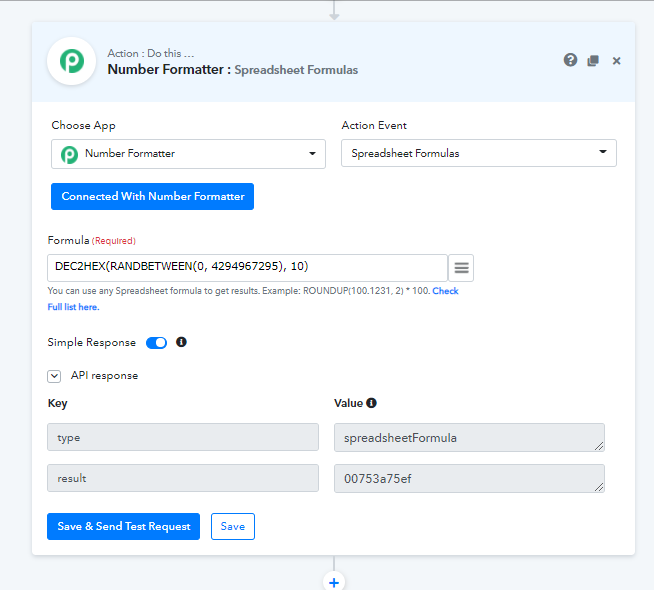
You can than map the result in any other module that you need.
This can be helpful for the use cases where, you need to generate any password.
For more spreadsheet formulas, you can refer this guide.
Choose App: Number Formatter
Choose Method: Spreadsheet Formulas
Use the following formula in the formula field and click on “Save & Send Test Request”
Code:
DEC2HEX(RANDBETWEEN(0, 4294967295), 10)You can than map the result in any other module that you need.
This can be helpful for the use cases where, you need to generate any password.
For more spreadsheet formulas, you can refer this guide.
Last edited by a moderator:


