Instagram for Business fails in Pabbly despite correct Meta access

Status: Open · Asked by Hawk Media on · 0 views

Hawk Media — Question ·
I need help fixing my YO SEO Tools social posting workflow in Pabbly Connect.

The workflow reads the Google Sheet tracker, uses a direct Google Drive image URL, and should publish Instagram photos with the platform-specific caption and hashtags. The Instagram account is a Professional account linked to the Yo SEO Tools Facebook Page, and my Meta user has full access to the Instagram asset.

The standard Instagram for Business action fails with an invalid-token/account-ID error followed by “creation_id is required.” I also tested the Instagram for Business Custom API Request using the same image, caption, and hashtag mappings. Meta returned: “API calls from the server require an appsecret_proof argument.”

Expected result: publish one approved tracker row to Instagram and return the post ID/URL so the Google Sheet can be updated. Please inspect the Instagram for Business connector/token handling and advise or repair the connection/action. Do not publish content without confirmation from me.

I authorize Pabbly Support to log in to my account and make changes to the specified workflow for troubleshooting. If credentials are needed, please provide a private secure method and do not request tokens or secrets in this public thread.
Pabbly Support — Reply ·

Hello,

As we have checked from our end, the issue was occurring because a direct Google Drive link was being added to the workflow.

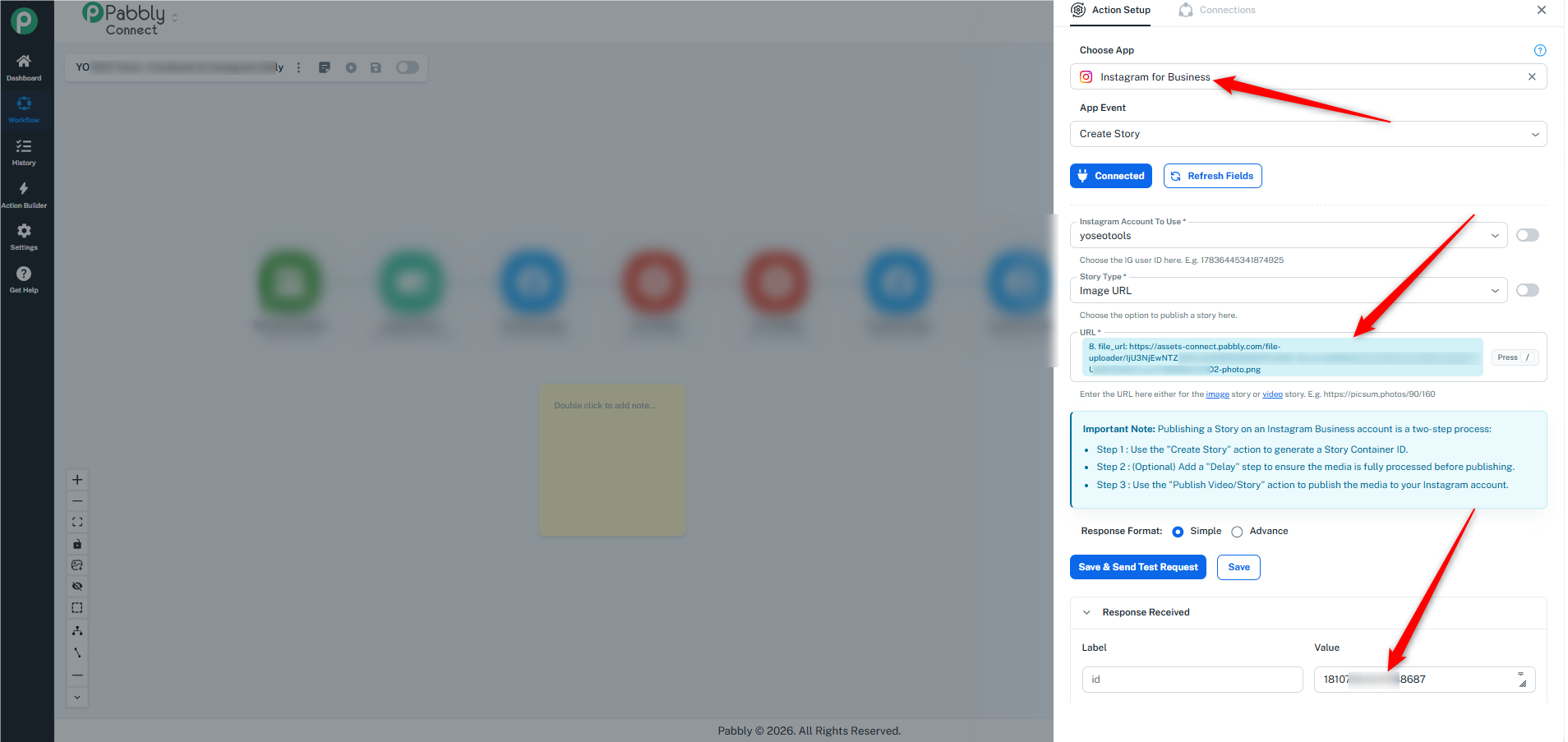
As a solution, we have added another action step, File Uploader, which converts the Google Drive file into a usable URL. We have mapped this URL to the next action step, Instagram for Business – Create a Story, and received a successful response.

Additionally, we noticed that although you were creating new connections for the Instagram for Business action step, the workflow was still using the old connections, which was also causing the issue.

We request you to please test the workflow from your end. Also, please test it without making any changes to the workflow, so that a task history is generated and we can verify whether everything is working as expected.

If you face any other concerns, please let us know. We’ll be happy to assist you further.
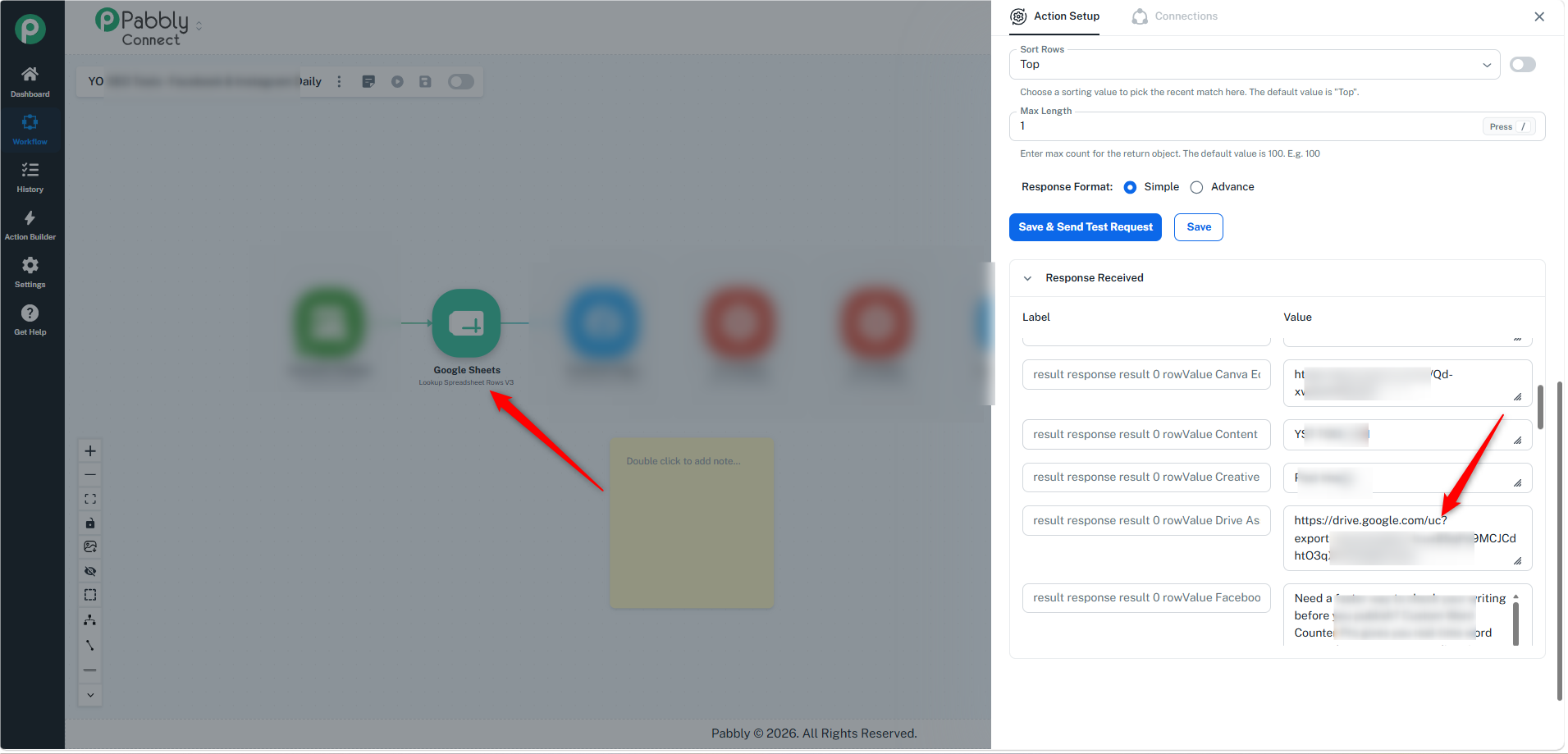
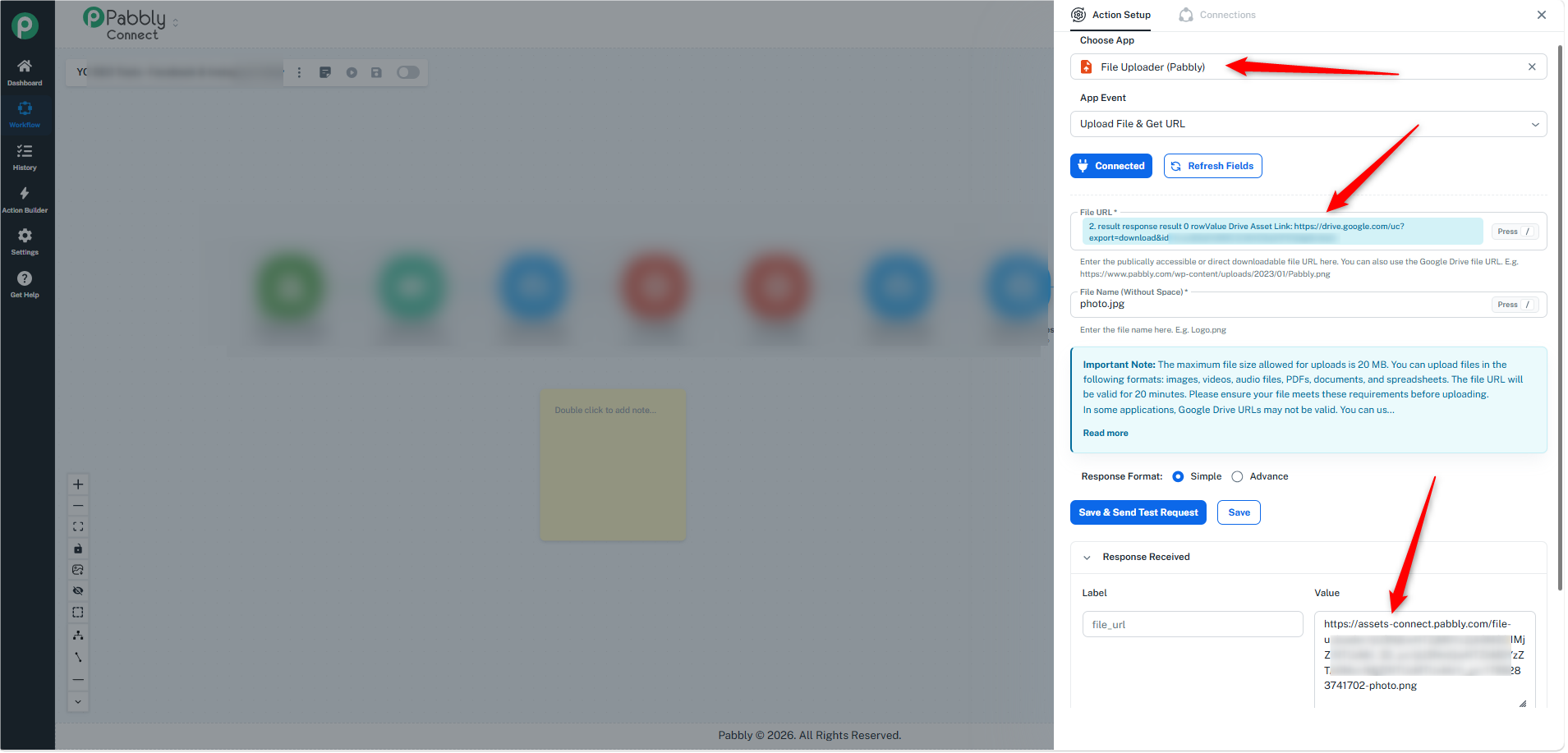
image.pngimage.pngimage.png

Thanks & Regards,
Soumya Tripathi
Customer Support Lead
🌐 Pabbly.com

Back to all forum threads · Log in to reply