Issue saving Mexican phone numbers in mobile field

enfasis

Member
Grant Account Access for Support
  1. I authorize the Pabbly Support Team to access my account for troubleshooting purposes.
WhatsApp Number
none yet
Email Address
[email protected]
Hi team,

I’ve noticed an issue when creating contacts via the Chatflow API.

  • When I send US phone numbers in the mobile field (e.g. 11234567890), they are correctly stored and appear in the Phone Number field of the contact profile.
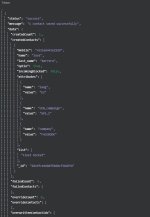
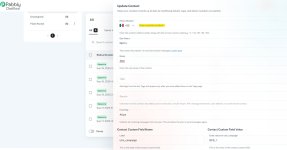
  • When I send Mexican numbers in the mobile field (e.g. 5216644162589 or +5216644162589), the contact is created successfully and the API response even returns the normalized value with +521..., but in the Chatflow UI the Phone Number field remains empty.
This prevents me from sending WhatsApp messages to Mexican contacts, since the Phone Number field is not being populated.

Could you please confirm what is the exact format expected for Mexican numbers in the mobile field so that they are properly recognized and saved in the Phone Number field?

Thanks in advance,
 

Attachments

  • empty_field.jpg
    empty_field.jpg
    133.1 KB · Views: 50
  • http_request.jpg
    http_request.jpg
    25.2 KB · Views: 45
  • response.jpg
    response.jpg
    48.7 KB · Views: 48

enfasis

Member
Hi team,

Thanks for your suggestion. However, I’d like to clarify an important point:

According to the E.164 international format, Mexican mobile phone numbers must be stored as:


+52 1 XXXXXXXXXX (10-digit local number)

For example:

  • Local: 6644162589
  • Correct international format: +5216644162589
If I use 527XXXXXXXXX as suggested, the number is no longer valid in E.164 and won’t be recognized by WhatsApp Cloud API, Twilio, or other providers.

Could you please confirm support for the standard +521... format in the mobile field so that the Phone Number field in Chatflow is properly populated?

This is crucial, because I need to make sure the numbers stored in Pabbly are correct and compatible with WhatsApp messaging.

Thanks in advance for your clarification,
 

Preeti Paryani

Well-known member
Staff member
Hello @enfasis,

Our team has recently implemented some fixes related to Mexican numbers. I recommend trying to add the number again as you were doing earlier and let us know if it now works fine for you.
 
Top