not able to connect google sheets in pabbly
Status: Open · Asked by Jyoti Verma on · 0 views
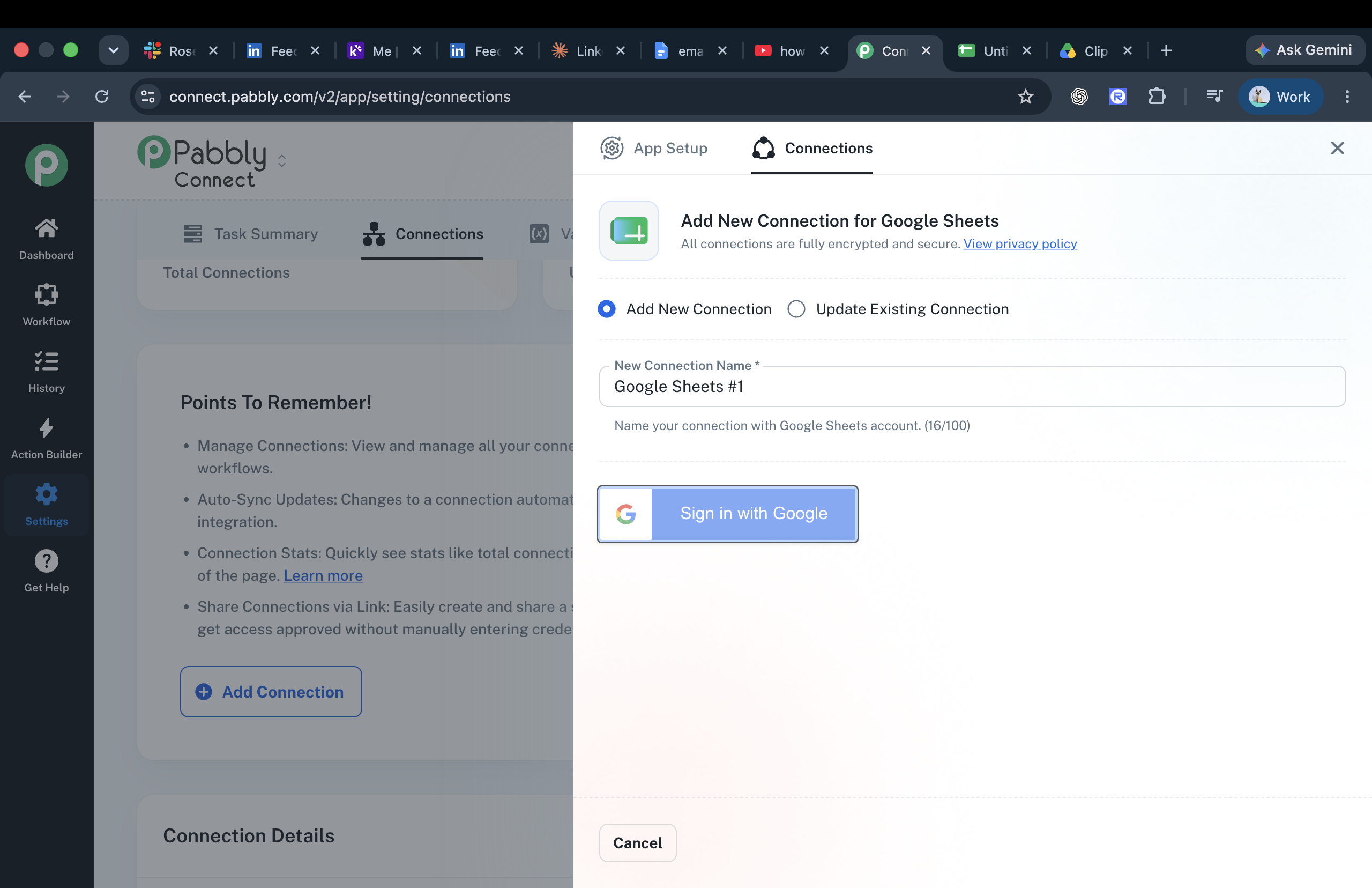
Hi Jyoti,
Thanks for reaching out about the Google Sheets connection issue in Pabbly Connect.
When the 'Sign in with Google' / connect option appears greyed out or not clickable while re-authorizing an existing connection, please try the following:
1. Open Pabbly Connect in an Incognito or Private browser window.
2. Log in to your Pabbly account and go to Settings, then Connections.
3. Locate your existing Google Sheets connection and select Update Connection.
4. Try the 'Sign in with Google' option again.
5. If needed, allow pop-ups for Pabbly Connect and make sure you are logged in to the correct Google account.
It also helps to sign out of any other Google accounts in your browser so the OAuth flow uses the intended account.
If the option is still not clickable after these steps, please share a short screen recording of what happens along with your registered email address, and we'll investigate further.