Read Outlook pdf attachment and extract data
Status: Closed · Asked by YOUKOT on · 0 views
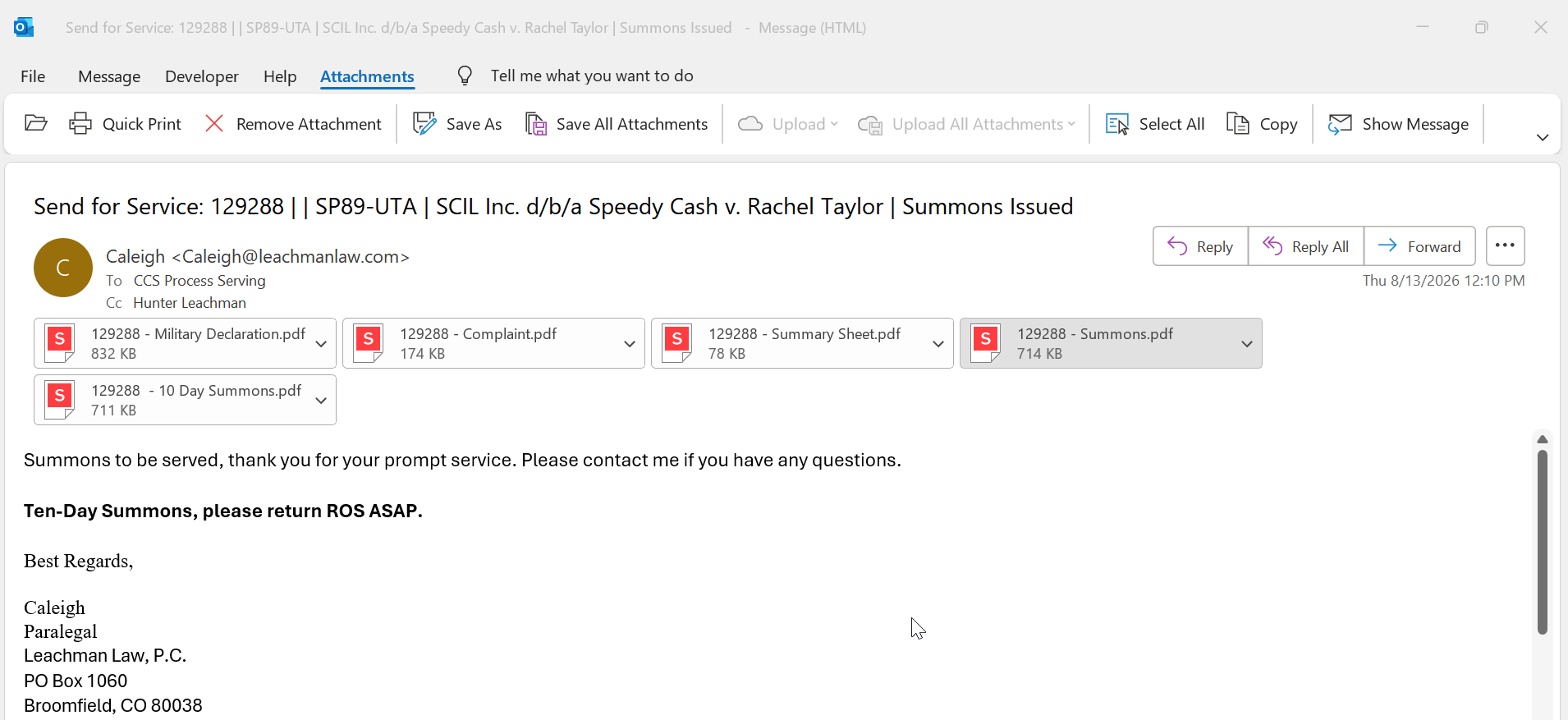
My client has hired a lot of new assistants and they are sending pdf attachments separately, they used to send 1 pdf in a specific format and all my workflows, docparser where designed for that.
I wanted to know if pabbly can read the pdfs (if pdf has summons in its name) from outlook, extract data from each and send it to serve manager?
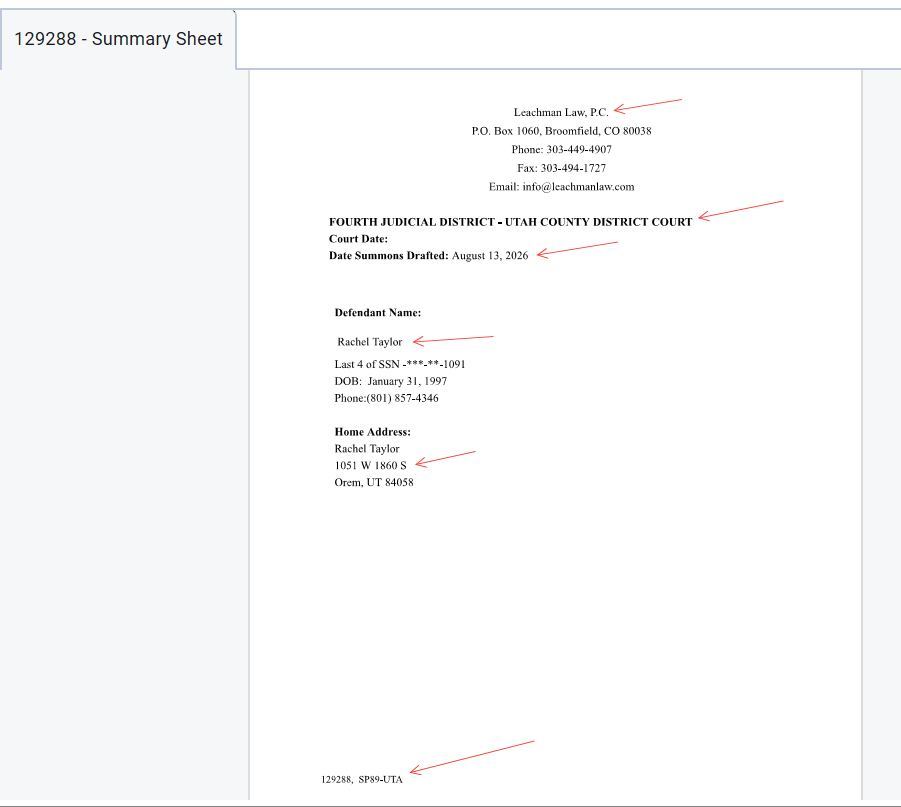
I attached an example of an email I get from the client,
I need to open Summary , get this information into tags
Hello,
Thanks for reaching out! Here's how this can work in Pabbly Connect.
Yes, you can build a workflow that reacts to incoming emails (for example, from Outlook) and processes the attached PDFs. A few important points on how attachment/PDF parsing works in Pabbly Connect:
1. Trigger the workflow with an incoming email source (such as the Email Parser or your Outlook email trigger) so the PDF attachment's download URL becomes available in the workflow.
2. Pabbly Connect does not have a dedicated built-in feature to parse the contents of a PDF attachment. When the attachment comes in, it is exposed only as a downloadable file URL.
3. To actually extract structured data from the PDF, the recommended pattern is to pass the file URL to ChatGPT (an OpenAI action step) and explicitly tell the model in the prompt that it is a PDF and exactly which fields you want extracted (for example, the details you want mapped into your tags).
4. Map the parsed output from ChatGPT into your downstream action — in your case, sending the extracted data to your server manager application.
Regarding filtering by file name (e.g., only PDFs with "summons" in the name): you can typically add a Filter step in the workflow to continue only when the attachment/file name matches your condition, then proceed with the extraction.
Just following up regarding this—please try the suggested workflow setup and let us know if you need any assistance with the PDF extraction or filtering steps.
Just following up one last time regarding this.
Since we haven't heard back from you, we'll be closing this ticket for now. If you need any further assistance, simply send an email to support@pabbly.com.