Saved customer Tax ID not prefilling on checkout with customer_id
Status: Open · Asked by JP Roux on · 0 views
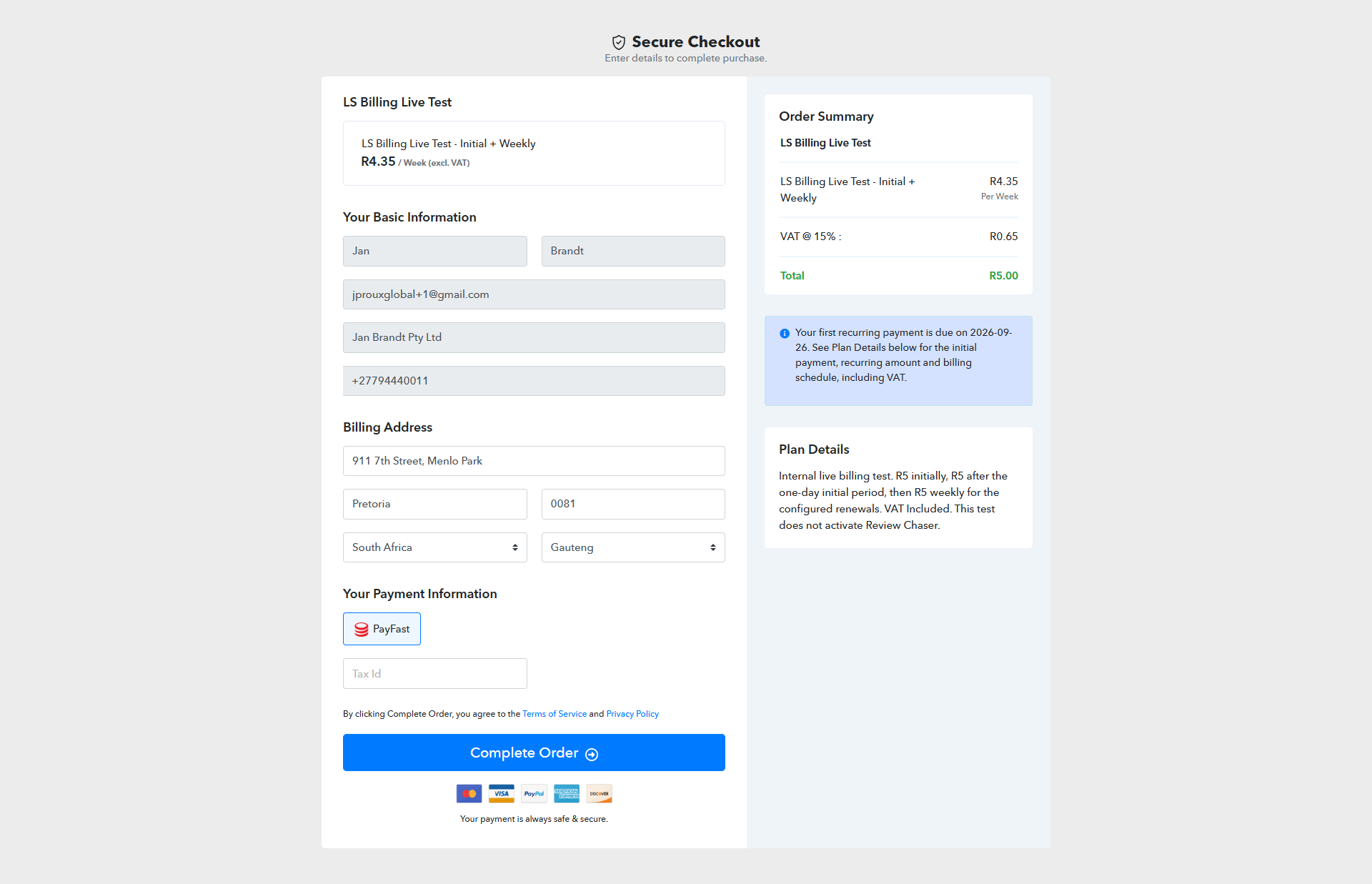
When opening a personalised checkout link in Chrome Incognito, the customer’s name, email, company, phone and billing address populate correctly. However, the Tax ID field remains blank.
The customer’s saved Tax ID is 1234567891.
Customer ID: 6ab5177001da614a8997ef24
Product: LS Billing Live Test
Plan: LS Billing Live Test - Initial + Weekly
Please confirm:
- - Does customer_id prefilling support the native Tax ID field?
- - If supported, why is the saved value missing, and how can we fix it?
- - If this checkout is submitted with Tax ID blank, will Pabbly retain or overwrite the saved customer Tax ID?
- - Will the resulting invoice use the saved Tax ID despite the blank checkout field?
I have not submitted this checkout. This ticket concerns checkout prefilling; the missing Tax ID on an existing invoice is being investigated separately.
Hi JP,
Thank you for reaching out. Here are the answers to your queries regarding customer_id checkout prefilling in Pabbly Subscription Billing:
Does
customer_idprefill the Tax ID field?No. Passing
customer_idin the checkout link populates contact and billing address details, but it does not prefill the native Tax ID / VAT number field.Why is it missing, and can it be prefilled?
The checkout form treats the Tax ID as a transaction-specific input. Standard
customer_idprefilling does not support it natively, so prefilling would require custom scripts or URL parameters if configured.Does submitting a blank Tax ID overwrite the saved Tax ID?
Yes. If the checkout is submitted with the Tax ID field left blank, it will overwrite the customer's profile record and clear the saved Tax ID.
Will the generated invoice include the saved Tax ID?
No. Because the profile updates with the blank submission data, the resulting invoice will not display a Tax ID.
Recommendation:
If existing customers are using public checkout links to switch or add plans, please instruct them to re-enter their Tax ID before submitting, or assign new subscriptions directly via API/admin panel to keep their saved profile data intact.