StoreInspect integration: review request for public listing
Status: Closed · Asked by Anders Myrmel on · 0 views
Hi,
Thank you for sharing the details of your integration.
Please note that this is a public forum. We request you to send your integration details to integrations@pabbly.com so our team can review your request for a public Pabbly Connect listing.
Our team will review the information and get back to you if any further details are required.

Hi Anders,
Thank you for sharing the details of StoreInspect and for testing all six actions.
We recommend that you first submit your application for review through the Pabbly Connect developer portal.
Please follow these steps:
Make the actions live: Enable all the actions you want to make available to users once your application is listed on Pabbly Connect.
Complete the review form: Once you make an action live, a form will appear. Fill in the required details and submit the application for review.
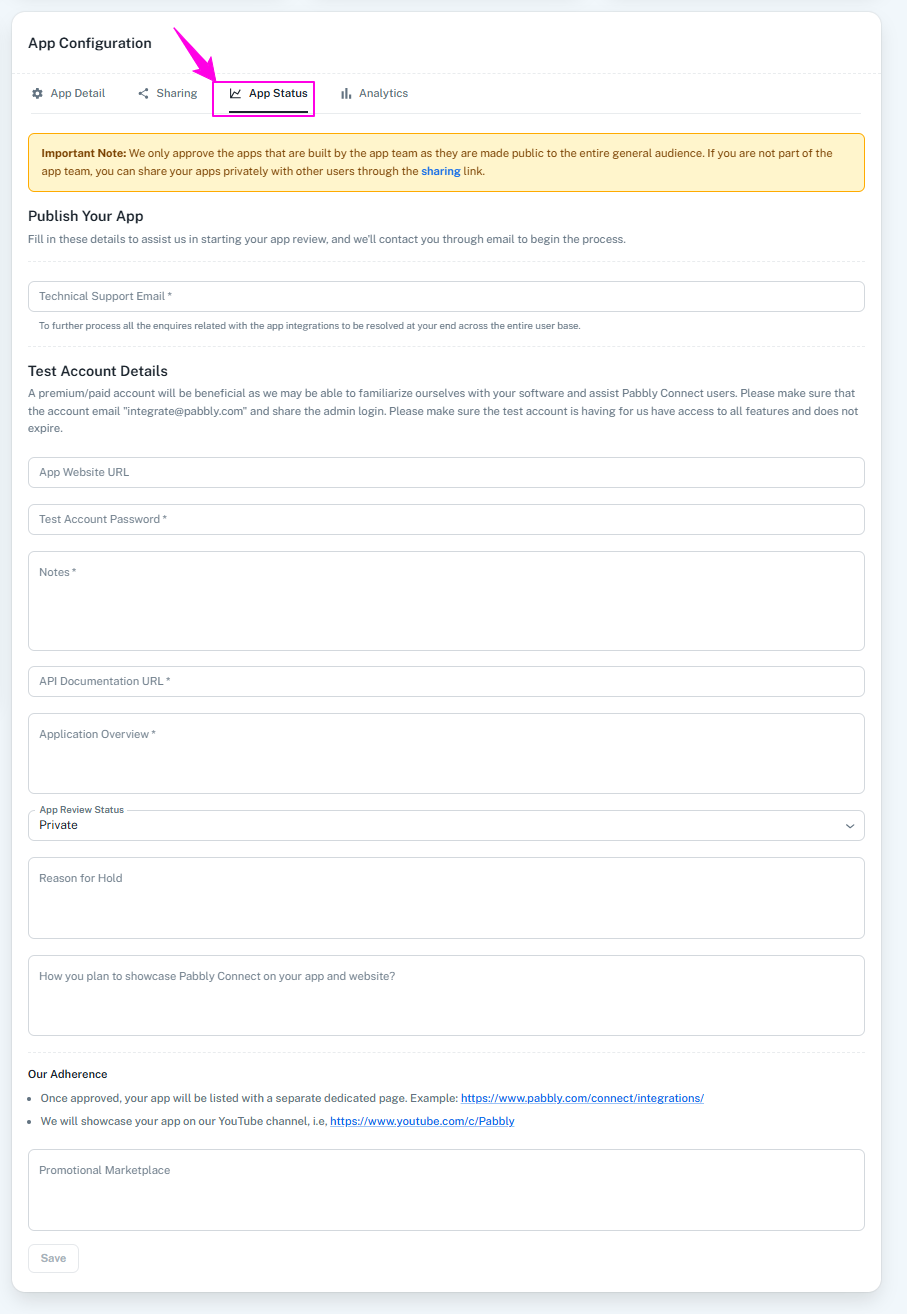
Application review: Our team will review your submission and the available actions.
Public listing: Once the review is completed and your application is approved, we will make it available to users and list it publicly on Pabbly Connect.
Please ensure that all the actions you want to offer to users are enabled and submitted for review.
Once you have submitted the application, our team will review it and get back to you if any additional information or changes are required.
Best regards,
Shambhavi Pandey
Pabbly Integration Team
Pabbly.com