Urgent Issue: Pabbly Workflows Automatically Turning OFF
Status: Closed · Asked by Brandvaro Innovations Pvt Ltd on · 0 views
Hi Pabbly Team,
I am facing a serious issue with my Facebook Lead Ads integration.
Some of my workflows are automatically turning OFF without any clear reason. When I try to enable them again, the issue continues to occur.
There is no apparent issue with Facebook Lead Ads or the Facebook integration itself. However, the workflows in Pabbly are getting turned OFF automatically, which is affecting my work and lead management.
This issue is causing significant inconvenience, as I am unable to rely on my workflows to run consistently.
Please investigate this issue and provide a permanent solution as soon as possible.
Thank you for your support.
Hi Brandvaro,
We have investigated the issue from our end and found that the workflow was disabled due to repeated authentication errors, as shown in the attached screenshot of the Workflow Edit Log.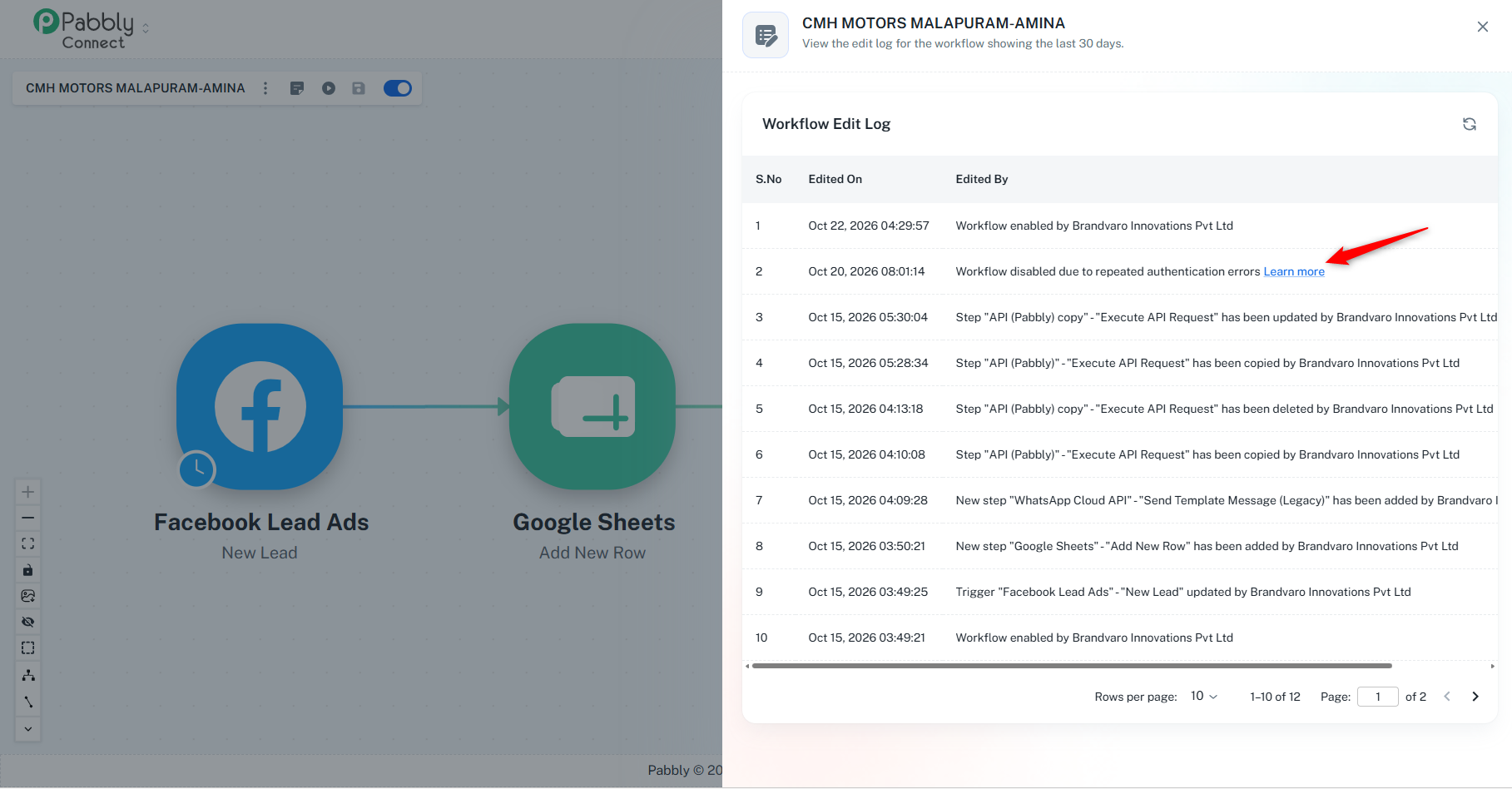
This generally occurs when the authorization of the trigger application expires, is revoked, or becomes invalid. Pabbly Connect automatically disables the workflow after five consecutive polling attempts fail due to authentication errors.
For more details about this error, you can click the “Learn more” link displayed next to the error in the Workflow Edit Log, or refer to the following documentation:
https://docs.pabbly.com/pabbly/doc/workflow-edit-log-workflow-disabled-due-to.15330
To resolve this issue, please reconnect your Facebook Lead Ads account by creating a new connection and authorizing it again. Once the connection is updated, enable the workflow again.
Please monitor the workflow after reconnecting the account. If the issue persists, let us know so we can investigate it further.
Aditya Chourey
Customer Support Associate
🌐 Pabbly.com
👉 Rate your support
Black Friday Early Access
