URGENT: Opt-Out Keywords Not Working - Users Continue Receiving Flow Messages After Replying “STOP” / “Not Interested”

Status: Closed · Asked by Sachin Wadawadgi on · 0 views

Sachin Wadawadgi — Question ·

Hi Support Team,


We are facing a critical issue with the Opt-Out Management functionality.

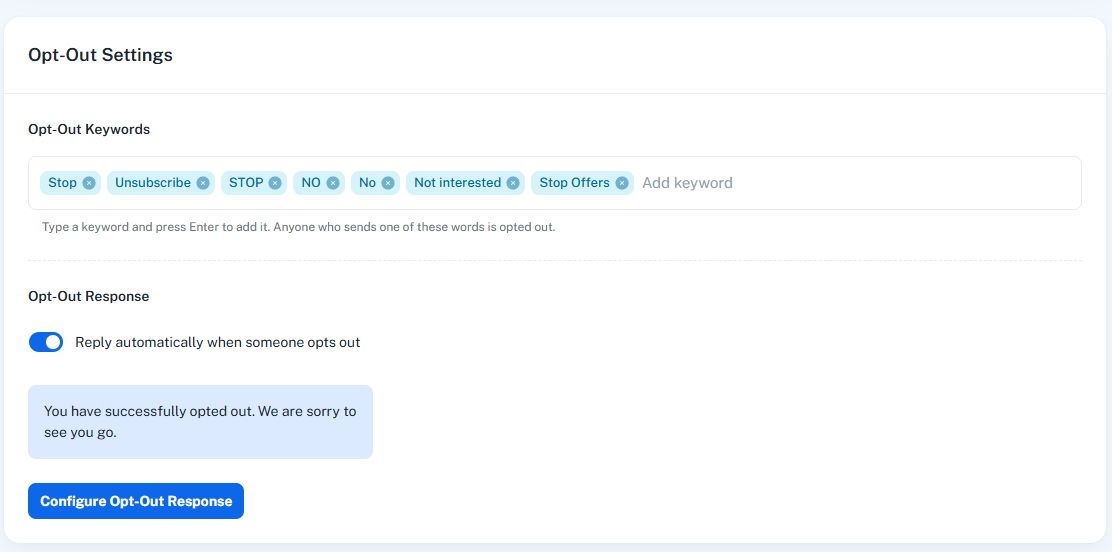
We have configured the following keywords under Opt-Out Settings → Opt-Out Keywords:

  • Stop
  • Unsubscribe
  • STOP
  • NO
  • No
  • Not interested
  • Stop Offers


The setting clearly states that anyone who sends one of these keywords should be automatically opted out.

However, we are observing that this functionality is not consistently working.


Issue observed

When users reply to our messages with opt-out responses such as:

  • STOP
  • Not interested

the users are not being opted out.


As a result:

  1. The user's opt-out status is not updated.
  2. The configured Opt-Out Response is not triggered.
  3. The user continues receiving subsequent messages from the automated flow.
  4. This is happening even though the exact words being used by the users are already configured in our Opt-Out Keywords list.

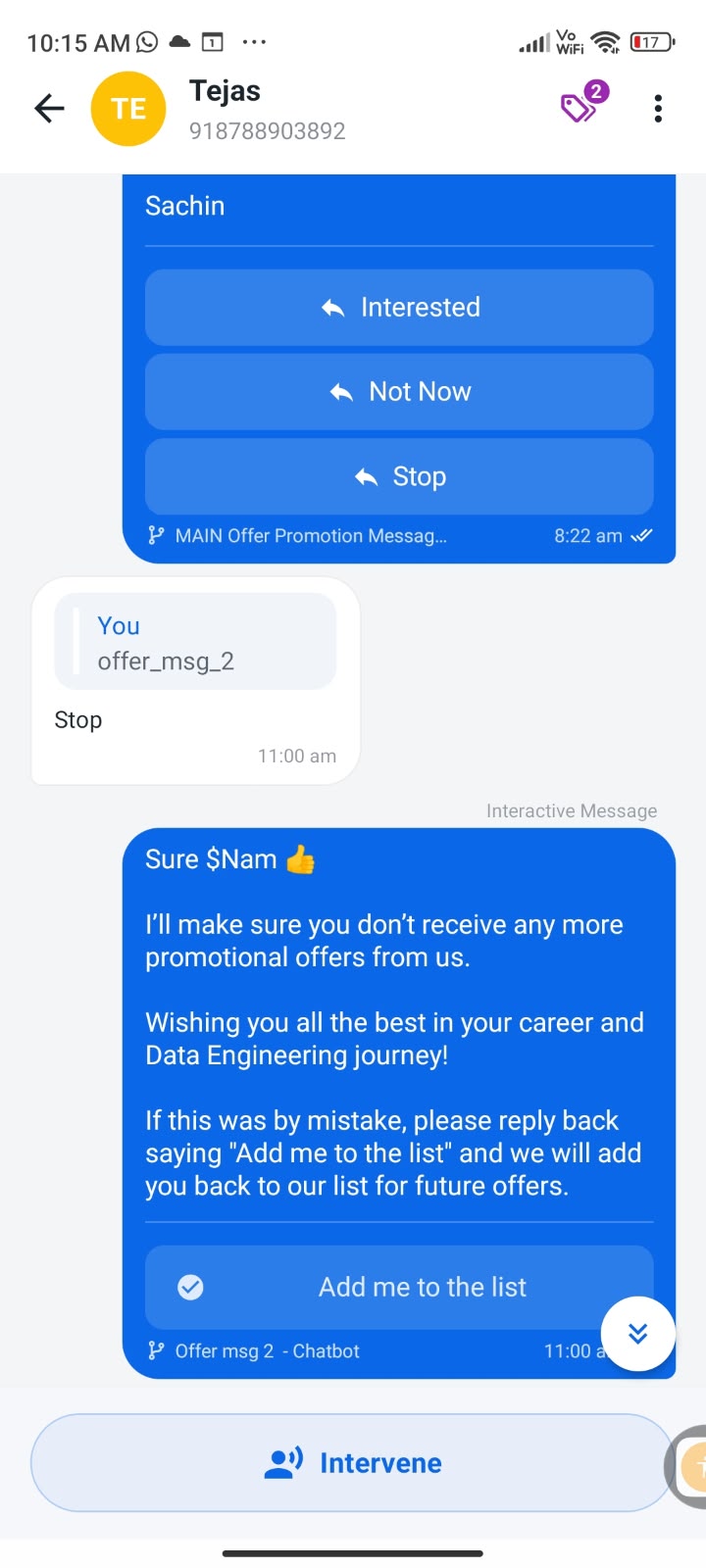
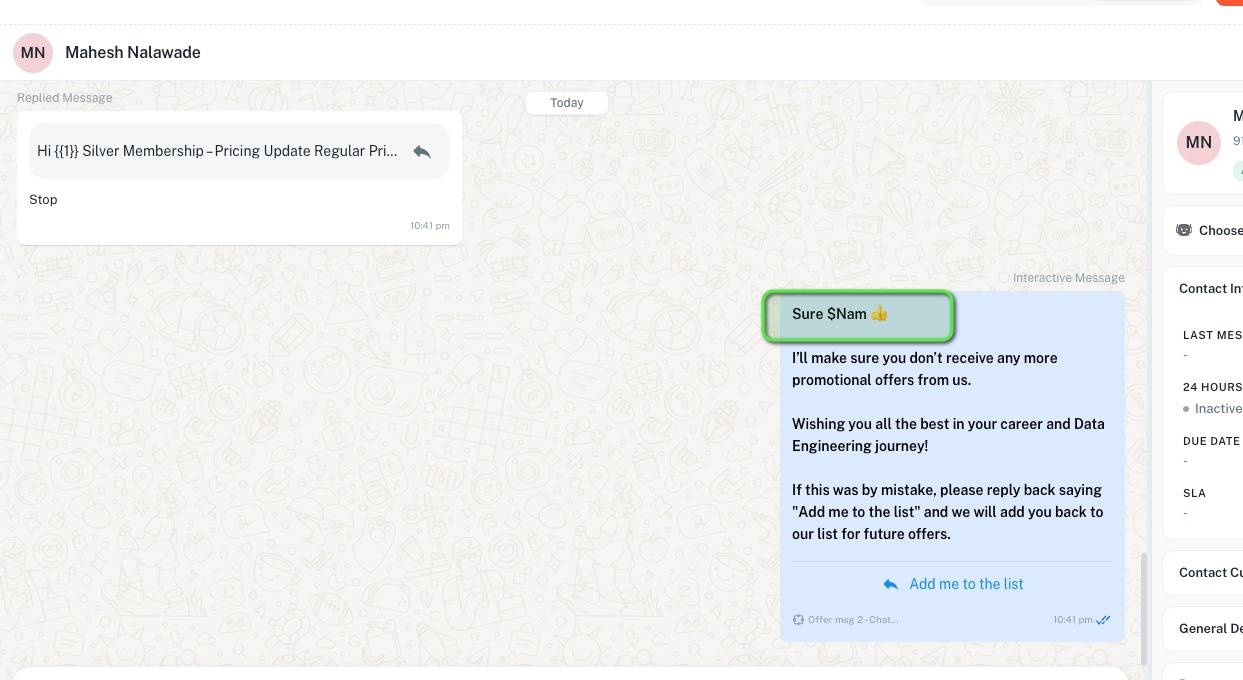
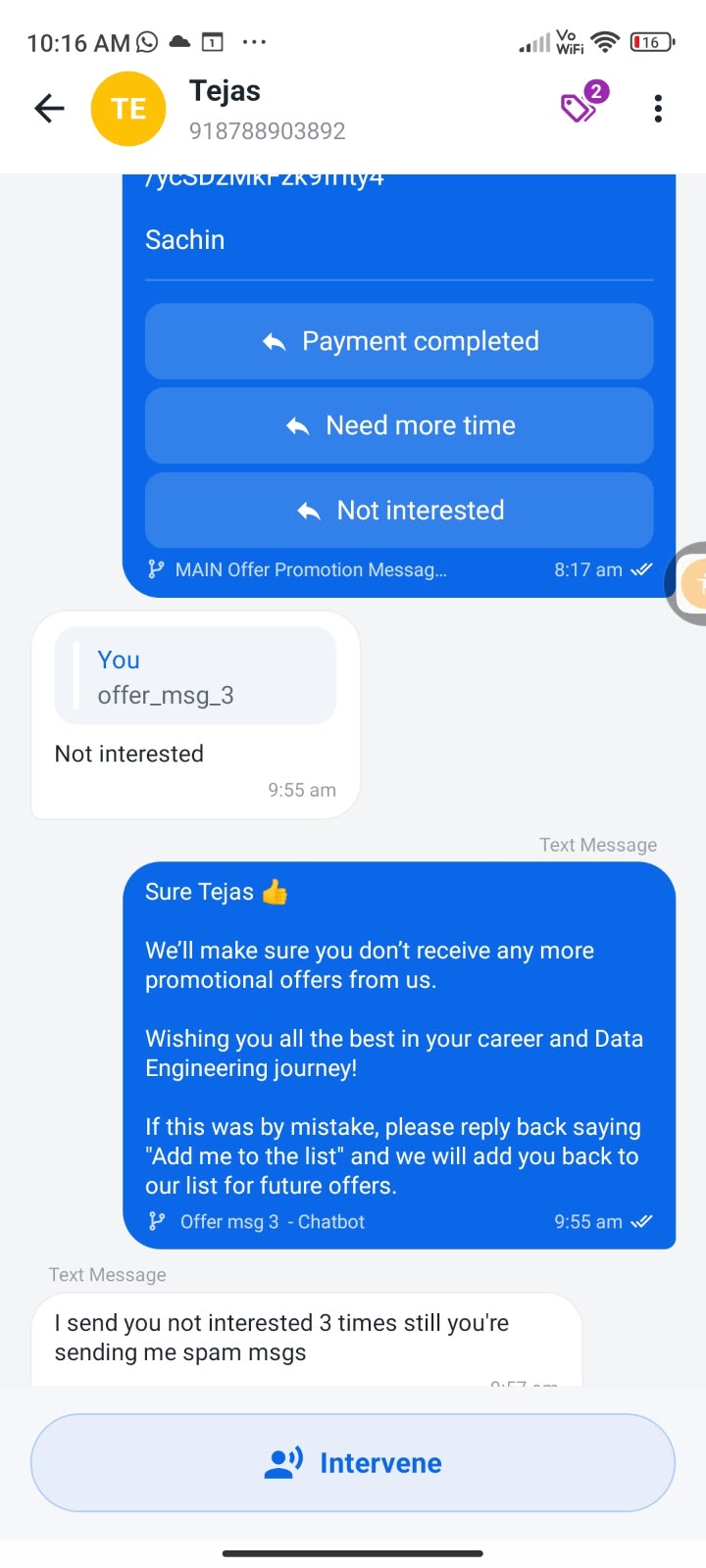
For example, a user has replied with “STOP” / “Not interested”, but the automated flow continued sending messages to that user instead of stopping communication.

We have also attached screenshots showing examples of these conversations for your investigation.


Expected behaviour

If a user replies with any configured opt-out keyword, the system should immediately:

User replies → Keyword detected → User marked as Opted Out → Automated flow messages stopped → Opt-Out confirmation message sent


For example:

User: STOP

The system should automatically mark the user as opted out, prevent any further flow messages from being sent, and send the configured confirmation message:

“You have successfully opted out. We are sorry to see you go.”

Actual behaviour

Currently:

User: STOP / Not interested
↓
Keyword is configured in Opt-Out Settings
↓
User is NOT opted out
↓
Opt-Out confirmation is NOT sent
↓
Flow messages continue to be sent


This is a serious issue, particularly because users are explicitly requesting to stop receiving communications, but the automation continues contacting them.


Request


Please investigate this issue on priority and confirm:

  1. Why the configured opt-out keywords are not being detected.
  2. Why users replying with STOP or Not interested are not being marked as opted out.
  3. Why the configured Opt-Out Response is not being triggered.
  4. Why these users continue to receive messages from active flows after explicitly opting out.
  5. Whether this is a system-wide issue, a keyword-matching issue, or related to a specific flow/channel.

  6. Please also check the affected users/conversations from the attached screenshots and verify what happened at the backend level.


This needs to be treated as URGENT because users who have explicitly opted out are continuing to receive automated communications.


Please investigate and resolve this at the earliest, and let us know once the fix has been implemented and verified.
WhatsApp Image 2026-09-13 at 11.53.57 PM.jpeg
WhatsApp Image 2026-09-14 at 10.17.31 AM.jpeg
WhatsApp Image 2026-09-14 at 10.16.26 AM.jpeg
Screenshot 2026-09-15 094515.png
Pabbly Support — Reply ·

Hello Sachin,

Thank you for reaching out to us and for sharing the detailed information.

Upon checking your account and the behavior in the affected conversations, we noticed that the users are selecting the Quick Reply buttons instead of manually typing and sending the configured opt-out keywords.

Please note that Quick Reply buttons work differently from Opt-Out Keywords. Since you have configured the opt-out words under Opt-Out Settings → Opt-Out Keywords, the opt-out management will be triggered only when the user manually types the configured keyword and sends it as a message.

If a user simply clicks a Quick Reply button, the text associated with that button is not treated as a manually entered keyword and therefore does not trigger the Opt-Out Management functionality.

For example, if “STOP” is configured as an opt-out keyword:

  • User manually types STOP and sends it → Opt-Out Management should be triggered.

  • User clicks a Quick Reply button labeled STOP → The configured keyword-based opt-out will not be triggered.

We recommend testing this by manually sending the configured keyword from the user's end and checking whether the opt-out status and configured Opt-Out Response are triggered.

Please let us know if the issue persists when the keyword is manually typed and sent, and we’ll be happy to investigate further.

Thanks and Regards,
Preeti Paryani
Customer Success Associate,
Pabbly.com
Sachin Wadawadgi — Reply ·

How to make them opt out based on quick reply actions - That's our use case

Sachin Wadawadgi — Reply ·

There is no even such action item on flows to opt out users from quick replies.


Purpose is to opt out users when they select that quick reply button - Either via Opt-in management or Flow action step

Pabbly Support — Reply ·

Hello Sachin,

Thank you for clarifying your use case.

Currently, Pabbly Chatflow does not support automatically opting out a user when they select a Quick Reply button. The configured Opt-Out Keywords are triggered only when the user manually types and sends the keyword as a message.

There is currently no separate Flow Action or Opt-In/Opt-Out Management action available to opt out a user based on a Quick Reply selection.

As a workaround, you can instruct users to manually type and send the configured opt-out keyword, such as STOP. This will trigger the existing Opt-Out Management functionality.

If opting out users directly through Quick Reply actions is required for your use case, you can submit this as a feature request on our roadmap: Pabbly Roadmap

We understand that Quick Reply-based opt-out is important for your workflow, and this feedback can help us consider the functionality for a future update.

Thanks & Regards,
Naman Bansod
Customer Support Specialist
🌐 Pabbly.com
👉 Rate your support

Back to all forum threads · Log in to reply