WORKFLOW NOT EXECUTE
Status: Closed · Asked by M/s. Pushpa J. Shah on · 0 views
I have created a new workflow in Pabbly Connect, but the 4th step, “Upload a File” in Google Drive, is not executing successfully. I keep getting errors despite trying to resolve the issue.
Could you please check the workflow and identify the root cause of the problem? Please review the configuration of the 4th step and the data being passed from the previous steps, and help me fix the issue so that the file can be uploaded to Google Drive successfully.
Hello,
I have reviewed your workflow and noticed that the Google Drive app event is currently using a legacy version. To resolve the file upload error, please update the step to the latest version of the Google Drive integration, as indicated in the attached screenshot.
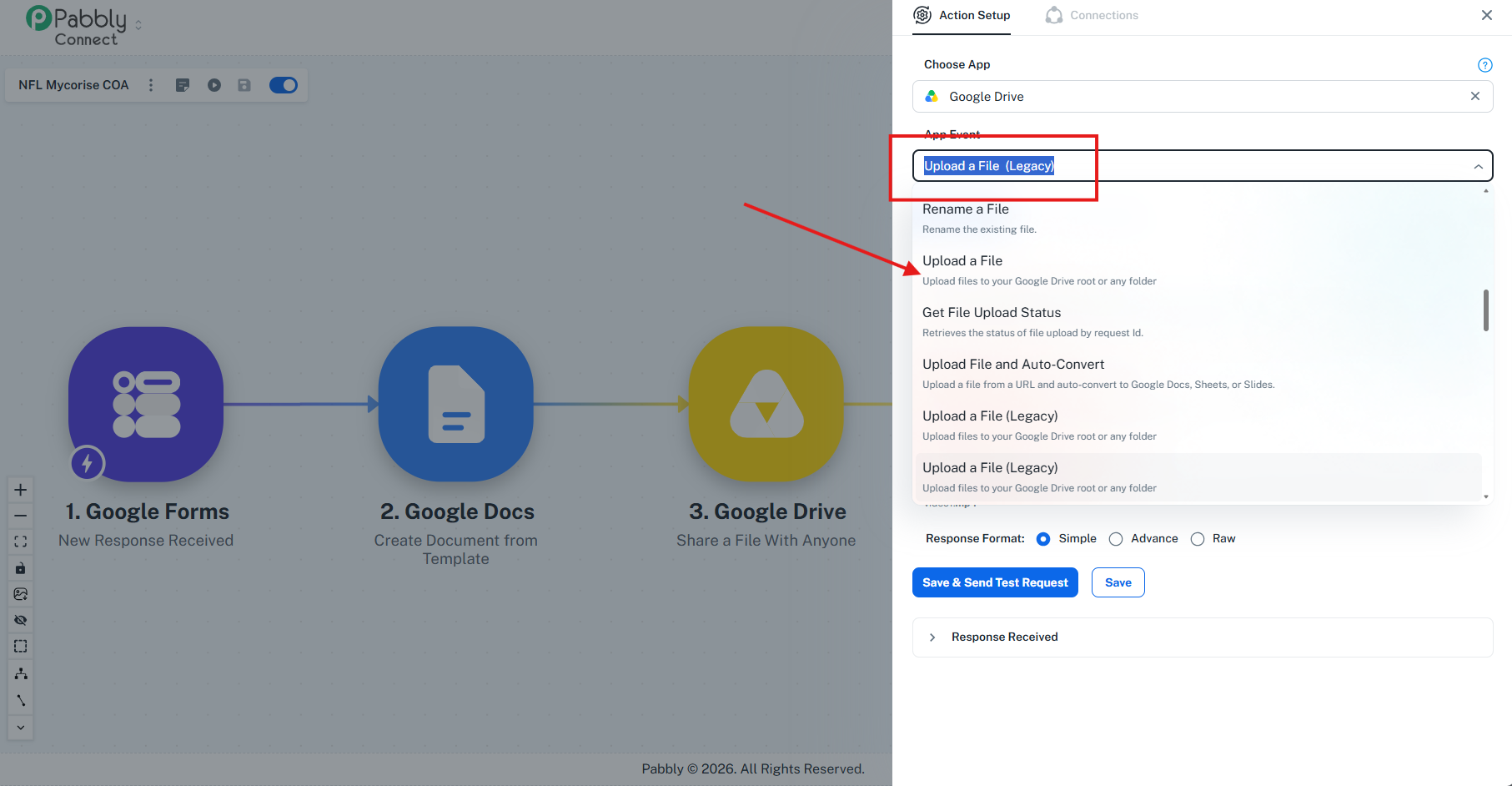
Once you have updated the step, please test the workflow again to see if the issue is resolved.
Still step failed...kindly check
Hello!
We checked the issue and found that the Google Drive – Upload a File step was failing because the previous step, Google Drive – Share a File with Anyone, had not generated a shareable file link.
We have made the necessary changes, and the workflow is now working as expected.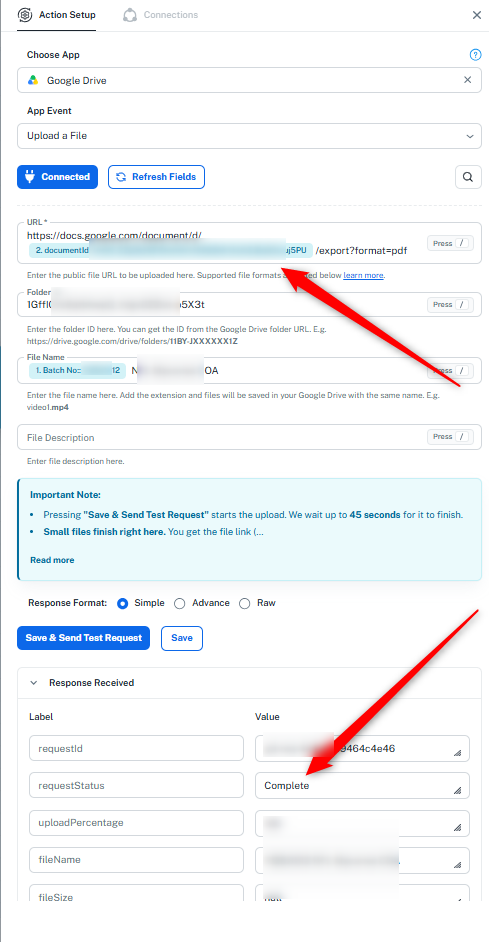
Thanks & Regards,
Soumya Tripathi
Customer Support Lead
🌐 Pabbly.com
🎉Black Friday Early Access