Workflow Stopping at Step
Status: Closed · Asked by Chris MeaD MeaD on · 0 views
Hello Chris,
Thanks for reaching out! The Ignore Error option is still available — it's set per step rather than being a global setting.
To enable it on your 'Find User in Heartbeat' step:
1. Right-click anywhere on the step's icon in the workflow canvas.
2. From the menu that appears, toggle on the Ignore Error option.
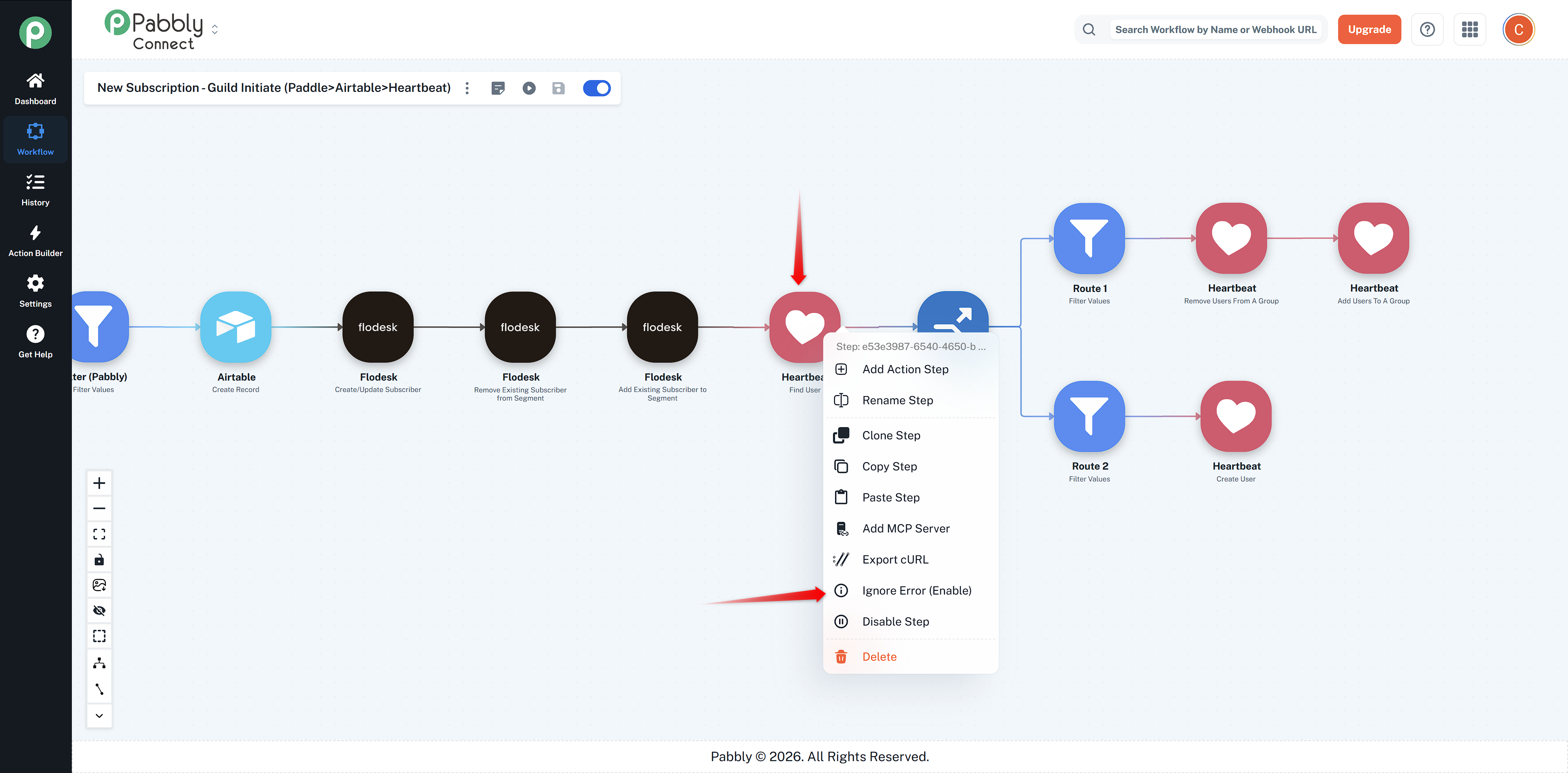
A note on how this works: when Ignore Error is ON and that step fails, only subsequent steps that map data from the failed step will be skipped — independent steps still run. So if your 'create user' step maps a field from the 'Find User' step, it may still be skipped on failure. In that case, make sure your create step does not depend on (map data from) the lookup step, or use a Router/Filter to branch between 'user found' and 'user not found' so the create path runs when the lookup returns not found.
Also worth checking: some APIs return a 404/error-shaped response when a record isn't found. Ignore Error handles that so the workflow can continue down the create path.
Please note that Filter, Iterator, and Loop steps do not support the Ignore Error toggle.
Let us know if you need any further help setting this up!

Thank you! It seems to be working now.
Hello Chris,
You're welcome. Glad to hear that the suggested steps helps you run the workflow according to your requirement.
Further, we are now closing this thread. You can start a new thread or email us at support@pabbly.com to raise your concern.