

How to leave "Group" and "Assignee" field blank Zendesk connections

Status
Not open for further replies.

quangnguyen

Member
In my Zendesk work flow, when new tickets come to the board, it should be in "New" status which is not assigned to anyone. But now the connection asks me to choose at least one group, then it assigned to a person by default. How to leave these fields blank. Thank you very much for your help
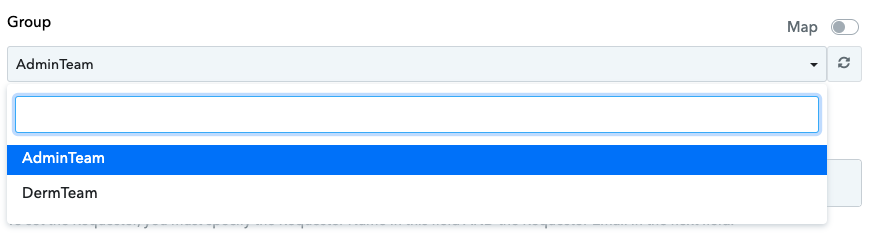
Screen Shot 2023-10-10 at 18.08.20.png
 
P

Pabblymember11

Guest
Hey @quangnguyen

Could you please attempt to reconnect the action step once, and then make an attempt with the field left empty? We've made some minor adjustments to the field.
 

quangnguyen

Member
1696987621885.png
1696987627288.png
it still does not work @Supreme , could you please check if I set up correctly.
What I did:
- Re-capture the response in step 1
- Leave the fields blank as screenshot
- Save and send
I also remove "Create ticket" step and connect again, also got problem.
 
Last edited:
P

Pabblymember11

Guest
According to the Zendesk API specifications, it is essential to provide values for both the "Group" and "Assignee" fields when creating tickets. Therefore, we strongly advise reaching out to the Zendesk support team for further assistance.
 
Status
Not open for further replies.
Top